

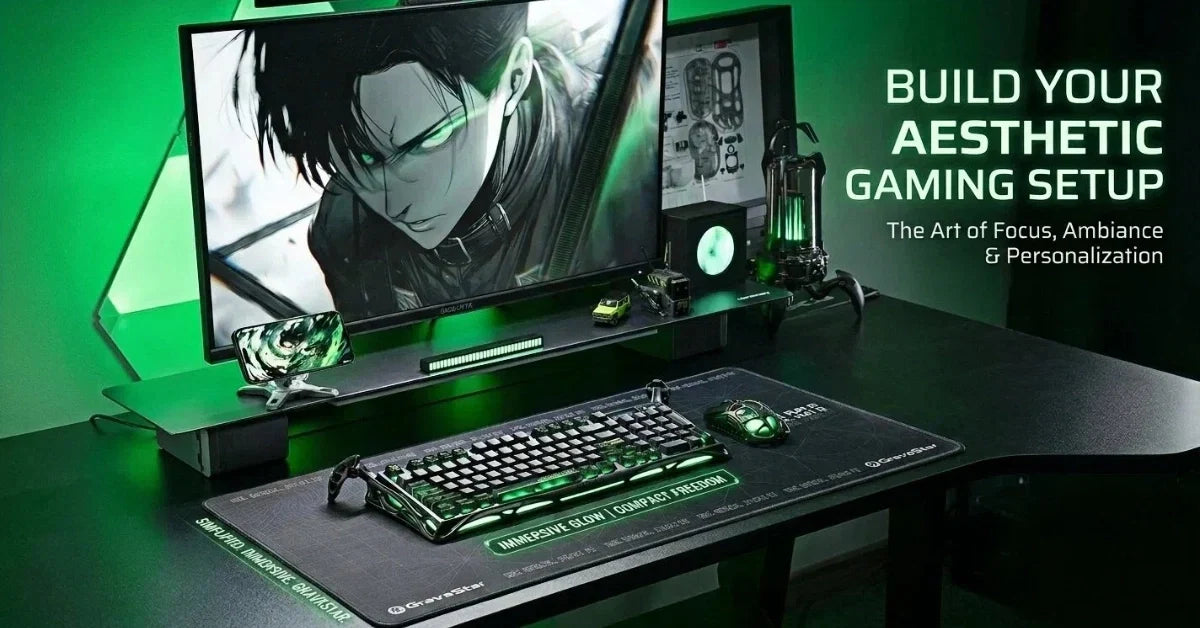
Your gaming space feels easier to use when every item has a clear place and the surface has room to breathe. First, plan your gaming desk setup around the equipment you use most, so your controls stay within reach without filling every available space. From there, route cords behind the furniture and store extra length beneath it, so the visible workspace remains neat.
Soft lighting can then bring warmth to the room without creating a busy mix of colors. A simple color palette helps the monitor and nearby accessories feel connected. Comfort matters just as much as appearance, so place the screen at a relaxed viewing height and keep your controls within easy reach.
Once the basics work well together, add a few personal details that suit your style without taking over the space.

What Makes a Clean & Aesthetic Gaming Desk Setup?
A polished layout combines visual order with enough personality to make the area feel like your own. Instead of filling every gap, choose a limited group of useful items and give each one a clear position.
Start by deciding whether you want a dark finish or a clean white base. A black desk can reduce visible contrast around dark equipment, whereas a white desk creates a brighter background for colorful details. From there, repeat one primary color across the wallpaper and nearby decor, so the gaming room feels connected.
Use the following principles to keep the design consistent:
-
Limit the palette: Choose one primary color and one accent color for a calmer visual direction.
-
Protect open space: Leave part of the desk surface empty, so the layout has room to breathe.
-
Group related equipment: Place connected devices near each other to reduce visual clutter and simplify cable routes.
-
Repeat selected finishes: Match similar metals or surface textures to create a more organized desk.
A minimalist layout still needs character, so choose one feature that draws attention without dominating the room. A distinctive keyboard or focused wall display can provide enough detail for a polished, clean gaming style.
Start With the Right Gaming Desk Layout
Your layout should support comfortable movement before you choose decorative details. Begin by measuring the available wall area, then check the depth needed for your monitor and controls.
A standard desk works well when you use one display and a compact group of peripherals. By comparison, a corner layout provides separate zones for play and other tasks. An adjustable standing desk like FlexiSpot’s E7 gives you more freedom to change position, although the frame may leave less space for under-desk storage.
Use these placement checks before setting your equipment down:
-
Center the main screen: Align the display with your seated position to reduce repeated neck turning.
-
Set a comfortable distance: Place the monitor far enough away for easy viewing without leaning forward.
-
Raise the display carefully: Keep the screen at or slightly below eye level to support a comfortable viewing position.
-
Protect mouse movement: Leave enough open surface beside the keyboard for your preferred sensitivity.
A monitor arm can free the area beneath the screen and make position changes easier. Keep the PC case off the main surface when space feels tight, provided its new position allows clear airflow.
Create a Clutter-Free Gaming Desk Setup
Cable management works best when you plan the route before connecting every device. Begin with the power source, then decide where each cord will travel beneath or behind the furniture.
Mount the power strip under the back edge, so bulky plugs remain accessible without sitting in view. Next, gather cords that follow the same path and secure them with reusable ties. Leave a small amount of slack near moving parts, especially around a standing desk frame or adjustable display mount.
Follow a simple order when organizing each cable:
-
Separate the route: Keep power cords apart from removable charging leads, so changes take less time.
-
Secure the excess: Fold extra length into loose loops and fasten each bundle beneath the surface.
-
Guide the descent: Run the remaining bundle down one desk leg instead of allowing several lines to hang.
-
Label hidden plugs: Mark both ends when similar cables connect several devices in the same area.
A pegboard can hold a headphone or spare controller without using valuable surface space. Under-desk hooks offer another tidy option for items you reach for often.
Finally, check the setup from the doorway and from your seated position. Different viewing angles can reveal hanging wires or loose adapters that remain hidden during installation. Minor corrections at this stage can produce a cleaner result, rather than adding another storage product.
Choose Lighting for an Aesthetic Gaming Desk Setup
Good lighting should make the area comfortable to see without overpowering the design. Begin with natural light during the day, then add a focused source for darker hours.
Place the monitor away from direct window reflections, since strong glare can make screen content harder to see. A desk lamp should light the work area without shining into your eyes or reflecting across the display. For evening use, soft ambient lighting can balance the visual difference between a bright screen and a dark room.
Build the lighting plan in clear stages:
-
Start with a task light: Direct a lamp toward the keyboard area without aiming it at the monitor.
-
Add one color accent: Use RGB behind the display or beneath the rear edge for a softer glow.
-
Match the background: Select wallpaper colors that connect with the room instead of competing with it.
-
Control the brightness: Lower accent lights until they support visibility without becoming the focus.
Begin with lower brightness and adjust the lighting gradually. Darker surfaces may need a stronger desk lamp, although focused light can still keep the gaming station calm.
Choose one lighting effect for daily use rather than changing several zones independently. A steady color keeps the workspace cohesive and directs attention toward the screen.
Select Accessories That Keep Your Desk Clean
 The best gaming accessories support how you play without filling the available surface. Choose each peripheral for its size and daily purpose before considering extra visual features.
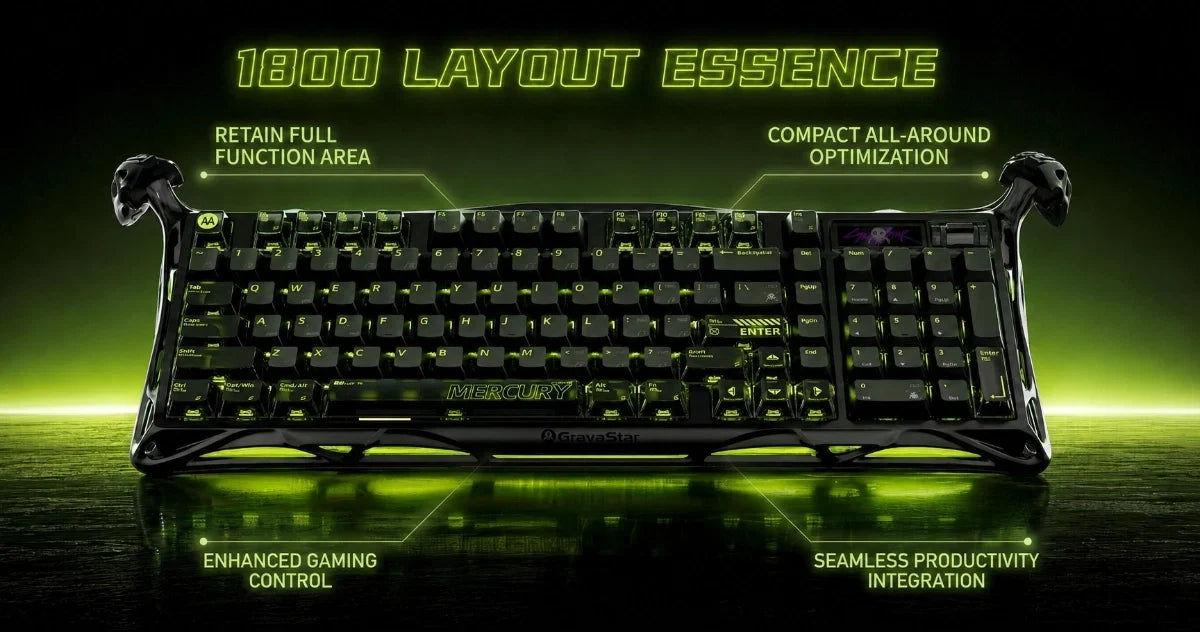
A compact keyboard leaves more room for mouse movement, although some players still need a number pad for work. The GravaStar Mercury K98 Pro uses a 98% layout with 98 keys and a control knob. Its smaller footprint keeps familiar inputs together without requiring a full-size board.
Mouse shape should suit your grip and preferred movement style. The GravaStar Mercury X Pro offers wired and wireless connection options, so you can choose between a visible lead and a cable-free arrangement.
Use these checks before adding another device:
-
Confirm regular use: Reserve the main surface for equipment you reach for during most sessions.
-
Check the footprint: Compare the product dimensions with the open area before placing an order.
-
Plan the connection: Decide where the receiver or charging lead will sit before installation.
-
Match the finish: Choose a color that supports the established palette instead of adding a separate theme.
Keep rarely used accessories in a drawer or on wall storage. A clean desk gives distinctive equipment more visual impact without making the area feel crowded.
Personalize Your Setup Without Adding Clutter
A gaming setup feels personal when each decorative choice supports one clear theme. Begin with one display area, then stop adding pieces once the space feels balanced.
A pegboard can organize small collectibles and spare equipment above the work area. Keep similar objects together, leaving a visible space between each group. For softer setup ideas, add one small plant near a source of natural light or place framed artwork beside the monitor.
Digital details can support the same visual direction without taking physical space. Choose a wallpaper that repeats the desk’s primary colors, then reduce desktop icons for a calmer screen. Matching light tones can connect the display with nearby equipment.
Use a final editing pass to refine the workspace:
-
Remove duplicate items: Keep one preferred version of tools that serve the same purpose.
-
Reduce visible packaging: Store boxes away from the room unless they support the display.
-
Balance each side: Spread larger objects across the area so one section feels less crowded.
-
Leave room for change: Keep one open zone for temporary equipment or future upgrades.
Photograph the desk from your normal viewing angle after arranging each group. A photo can make uneven spacing easier to notice, so you can adjust the layout before adding anything else.
Build Your Gaming Desk Setup With GravaStar
For a polished finishing touch, GravaStar offers peripherals that add personality without taking up unnecessary space. The Mercury K98 Pro combines a space-saving 98% layout with a number pad, so you can keep familiar controls in a smaller footprint.
Its Phantom Black finish suits a simple color scheme and its adjustable RGB provides a controlled lighting accent. When you’re ready to update your equipment, browse GravaStar’s keyboards and mice to find options that suit your preferred layout and aesthetic.
FAQs
How long does it take to build a clean gaming desk setup?
Plan for a few hours if you're starting from an empty desk, since most of that time goes into cable routing rather than placing equipment. Because the power strip and cord paths are difficult to change once the monitor arm and lights are mounted, work through those first and leave the decorative details until the layout is settled. If you're tidying an existing desk instead, clearing the surface completely and rebuilding from nothing is usually faster than adjusting around what's already there.
What size desk do I need for a clean gaming setup?
Most single-monitor setups work comfortably at 120cm wide and 60cm deep, because that leaves room for the keyboard, open mouse movement, and a small margin of empty surface. A deeper desk matters more than a wider one when you use a large monitor, since it lets you push the screen back to a relaxed viewing distance. A monitor arm and a small keyboard can free up more space than a larger desk if you have limited wall space.
Should I choose wired or wireless peripherals for a cleaner desk?
Wireless removes the two cords that sit most visibly in the center of the desk, so it makes the largest difference to how the surface looks. That said, you still need a plan for charging, which means deciding early where the dock or charging lead will sit rather than leaving a cable across the desk each night. The Mercury X Pro supports both, so you can run it wired while gaming and switch to wireless when you want the surface clear.
How do I keep the setup clean after adding new equipment?
To avoid having to untangle the whole bundle for a single upgrade, assign a defined route to every cable and utilize ties that can be reused instead of permanent ones. Keep one open zone on the desk for temporary items, because new equipment that lacks a place tends to settle wherever there's space.


Leave a comment
This site is protected by hCaptcha and the hCaptcha Privacy Policy and Terms of Service apply.