

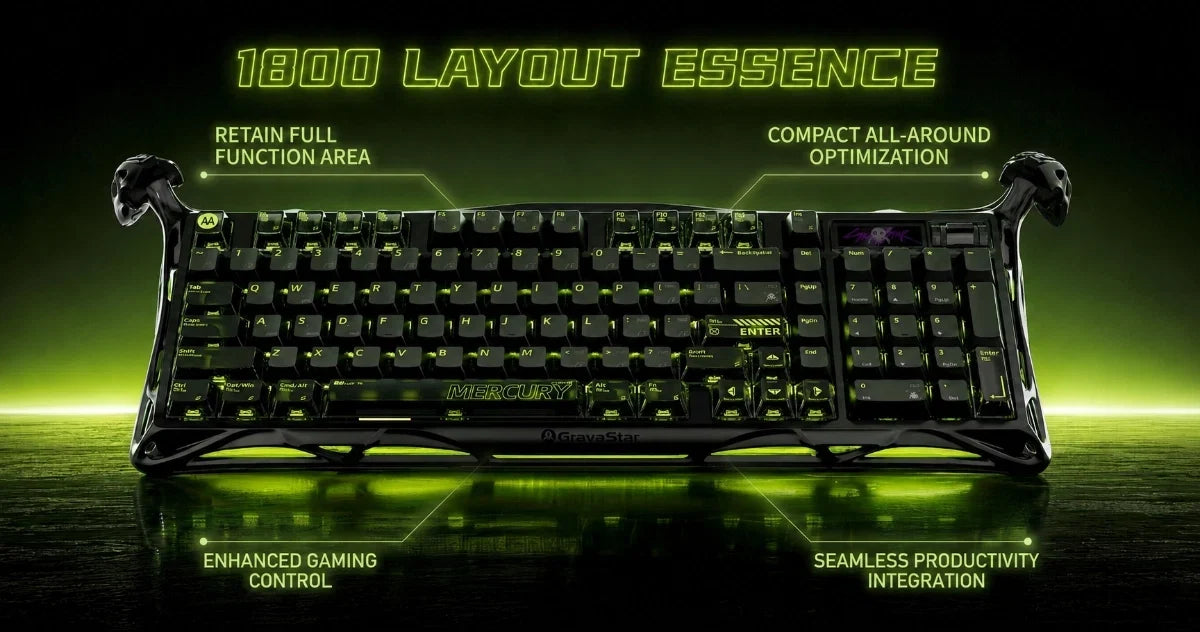
The compact 1800 keyboard layout delivers a full numpad, navigation cluster, and function row while cutting the dead space of a traditional full-size keyboard. The compact 1800 keyboard layout delivers a full numpad, navigation cluster, and function row while cutting the dead space of a traditional full-size keyboard.
Unlike a standard 104-key board, most 1800 layouts shrink the numpad zero to a 1u key to save width. That small change disrupts muscle memory for anyone doing high-speed data entry. Every keyboard on this list keeps the standard 2u zero key, so thumb placement stays natural for blind typing.
Fast calculations stay accurate without relearning key positions. Beyond productivity, the narrower frame gives gamers meaningful horizontal desk space for wider mouse movement. That makes the 1800 layout one of the most practical mechanical keyboard layouts available today.
|
Brand |
Best For |
Layout |
Typing Feel |
Wireless Battery |
Customization |
|
Keychron K17 Max |
Multi-device wireless users who want a slim, portable board |
96% |
Slim, smooth, low-profile |
Up to 95 hrs |
QMK + Launcher app |
|
Epomaker TH99 |
Office and home users who want a quiet, affordable 1800 board |
96% |
Deep, creamy thock |
Up to 800 hrs |
Hot-swap only |
|
GravaStar Mercury K98 Pro Mechanical Gaming Keyboard |
Gamers and enthusiasts who want a full-size mecha-inspired centerpiece |
98% |
Smooth linear switches with gasket-mounted acoustics |
Up to 228 hrs |
Web-based driver, TFT display and RGB controls |
|
Qwertykeys Neo98 |
Enthusiasts who want a premium aluminum build with mount options |
98% |
Clacky, controlled, balanced |
Large capacity, no rating published |
VIA + three mount options |
|
MechLands Vibe99 |
Budget buyers who want a full-featured board with a smart display |
98% |
Soft, cushioned, muffled thock |
Up to 800 hrs |
Hot-swap only |
|
Yunzii AL98 |
Typists and gamers who want a solid aluminum board under $110 |
1800 |
Smooth, deep, fatigue-free |
Up to 40 days |
QMK + VIA |
|
Royal Kludge S98 |
Users who want on-board control without relying on software |
96% |
Rich thock or smooth linear |
Up to 200 hrs |
Onboard knob + Windows software |
|
Meletrix Zoom98 |
Hobbyists who want maximum build flexibility and modding depth |
98% |
Soft, deep, highly tunable |
Dual battery, no rating published |
QMK + VIA + modular top section |
Our Top Picks for 1800 Layout Keyboards

1. Keychron K17 Max QMK
The Keychron K17 Max is a 96% layout keyboard built on an aluminum and ABS frame. At 750 g and 20.32 mm tall at the front edge with keycaps, it sits noticeably low on the desk. Gateron low-profile mechanical switches deliver a smooth, responsive feel, and the north-facing switch orientation keeps RGB lighting visible through every keycap.
Open-source QMK firmware pairs with the Keychron Launcher web app for full key remapping and macro customization. Battery life is around 95 hours with the backlight off, powered by a 2,000 mAh rechargeable lithium-polymer cell. Drop to RGB's lowest brightness setting, and you get around 50 hours.
Connectivity covers 2.4 GHz at a 1,000 Hz polling rate and Bluetooth 5.1 across three paired devices. Double-shot polybutylene terephthalate (PBT) keycaps are included for both Windows and macOS, and the typing angle adjusts to 2°, 4°, or 6°.
The interior IXPE and latex acoustic foam layers absorb sound at the switch level, keeping the typing experience quieter than on most low-profile boards. A hot-swappable version is available for switch changes without soldering, compatible with Gateron and Keychron low-profile switches.
|
Pros |
Cons |
|
✅ Volume knob placement is functional and well-positioned. |
❌ Switch compatibility is restricted to Gateron and Keychron low-profile options only. |
|
✅ Compatible with macOS, Windows, and Linux. |
|
|
✅ 22 RGB backlight types with adjustable hue, saturation, and brightness. |
2. EPOMAKER TH99 Mechanical Keyboard
The Epomaker TH99 is a 102-key, 96% layout keyboard built on an ABS plastic gasket-mount frame with five layers of sound-dampening. Double-shot polybutylene terephthalate (PBT) keycaps in Cherry profile sit across all 102 positions, and south-facing per-key RGB backlighting keeps lighting visible through every key.
The compact 1800-style gasket-mount structure produces a deep, creamy thock that stands out among prebuilt boards. Five sound-dampening layers, including a Poron sandwich pad, a cross-linked polyethylene (IXPE) switch pad, and a bottom silicone drive, create a signature sound profile.
Epomaker's Creamy Jade switches ship pre-lubed at 45 gf operating force with 2.0 mm of pre-travel. That combination delivers a smooth, linear feel with virtually no stem wobble. Hot-swap sockets accept 3-pin and 5-pin mechanical switches, so you can change the sound or feel later. Connectivity covers USB-C at 2ms latency, 2.4 GHz at 5ms, and Bluetooth 5.0 at 11ms across Mac, Windows, and Android devices.
A dedicated toggle on the front of the board switches between Mac and Windows mode without a keycap swap. Epomaker rates the battery life at up to 800 hours with the backlight off, so the TH99 holds up well during long wireless sessions, though real-world results will vary.
|
Pros |
Cons |
|
✅ Dedicated 2.4G dongle storage slot built into the underside of the board. |
❌ Plate-mount stabilizers are not compatible with screw-in stabilizer upgrades. |
|
✅N-key rollover supported across both wired and wireless modes. |
|
|
✅ Volume control dial doubles as a mute toggle. |
3. GravaStar Mercury K98 Pro Mechanical Gaming Keyboard
The GravaStar Mercury K98 Pro is a 98% mechanical gaming keyboard with a CNC aluminum alloy chassis, skeletonized exoskeleton frame and dedicated number pad. GravaStar UFO mechanical switches provide a smooth linear feel, with a 70 million-click lifespan rating for heavy gaming and daily use.
A five-layer acoustic system uses Poron foam, an IXPE switch pad, a PET layer and silicone dampening to control vibration. The gasket mount and FR4 flex-cut plate add a softer typing feel.
Connectivity includes USB-C, 2.4 GHz wireless and Bluetooth 5.4, with support for Windows and macOS. The board reaches an 8,000 Hz polling rate in wired and 2.4 GHz modes, with 0.1 ms wired latency and 0.4 ms wireless latency.
The 8,000 mAh battery is rated for up to 228 hours. A 1.65-inch TFT display, multifunction knob and three-sided RGB lighting add more control and customization.
|
Pros |
Cons |
|
✅ Multi-device pairing supports cleaner setup switching. |
❌ High $259 MSRP. |
|
✅ Music synchronization effects expand RGB customization. |
|
|
✅ Web-based driver platform avoids a required desktop app. |
4. QwertyKeys Neo98
The Qwertykeys Neo98 is a 98% layout keyboard with a full-aluminum case and a stainless steel weight. At 398.4 x 133.8 mm with a 7-degree typing angle, it sits low and wide without overwhelming a standard desk.
London Fog Switch V2 tactile switches are mounted on a PP plate, with an actuation force of 43 gf and an actuation travel of 1.9 mm. The bottom-out distance is 3.6 mm, and the switches carry a 50-million keystroke lifespan rating. Per-key RGB lighting and a stainless steel light bar ship standard on the prebuilt version.
A gasket-mount structure with plate foam, a cross-linked polyethylene (IXPE) sheet, and case foam produces a balanced, controlled sound profile across the board. The tuned bottom case acoustic chamber reduces hollow resonance without requiring additional foam modifications. Reviewers consistently describe the sound as clackier than foam-heavy boards, with the PP plate leaning toward a cleaner, deeper tone.
Tri-mode connectivity covers 2.4 GHz, Bluetooth, and USB-C, with physical toggles on the exterior for both connectivity mode and Win/Mac switching. An 8,000 mAh battery backs the wireless modes, though Qwertykeys does not publish a rated battery life figure. Double-shot ABS keycaps with a PBT blend ship included, balancing long-term legibility with reduced shine over time.
|
Pros |
Cons |
|
✅ Seven anodized color combinations available across top and bottom case pairings. |
❌ No per-key RGB on the standard group-buy PCB; only on the prebuilt version. |
|
✅ Supports split backspace, ISO layout, and split left shift on the PCB. |
|
|
✅ Aluminum and PP plate options included for different sound preferences. |
5. MechLands Vibe99
The MechLands Vibe99 is a 98% gasket-mounted keyboard with 100 keys and a flex-cut PC plate. A 1.06-inch thin-film transistor (TFT) display on the board shows battery status, time, and the active connection mode.
Double-shot polybutylene terephthalate (PBT) keycaps in Cherry profile ship standard, and south-facing RGB backlighting keeps lighting evenly distributed across the board. At 1.14 kg on an ABS plastic frame, the board feels solid without the weight of an aluminum chassis.
Five internal padding layers give each keystroke a soft, cushioned feel with a deep thock that reviewers describe as muffled but satisfying.
The layer stack includes a Poron sandwich pad, a cross-linked polyethylene (IXPE) switch pad, and a bottom silicone layer for full resonance control. MechLands Cream Mint linear switches ship pre-installed with a 45 gf actuation force, 2.0 mm of pre-travel. This puts the total travel distance at 3.6 mm. Hot-swap sockets accept 5-pin mechanical switches for easy replacement without soldering.
Tri-mode connectivity covers USB-C, 2.4 GHz, and Bluetooth across up to three paired devices. A 4,000 mAh battery delivers several days of use with backlighting off, though RGB at full brightness reduces that significantly. Wired and 2.4 GHz modes run at a 1,000 Hz polling rate, while Bluetooth drops to 125 Hz.
|
Pros |
Cons |
|
✅ Pre-lubed plate-mount stabilizers ship standard. |
❌ Customization software is clunky and has inconsistent keyboard recognition. |
|
✅N-key rollover supported across wired and 2.4 GHz modes. |
|
|
✅ TFT screen supports custom GIF uploads via software. |
6. YUNZII AL98 QMK/VIA
The Yunzii AL98 is a 101-key, 1800-layout, mechanical keyboard with a full-CNC aluminum body and gasket-mounted design. The space-efficient 1800 form factor keeps the numpad and function row intact while saving desk space compared to a traditional full-size board.
Yunzii Milk V2 linear switches deliver a smooth, crease-free keystroke from top to bottom. The soft, cushioned feel makes long typing sessions comfortable without finger fatigue. Each keypress lands with a deep, clean thock that suits both focused work sessions and gaming setups. Double-shot polybutylene terephthalate (PBT) keycaps in Cherry profile ship standard across all three colorways.
The gasket-mount structure keeps the typing feel soft and consistent, with no flex under firm keypresses. South-facing RGB lighting produces a diffused underglow across the desk mat rather than shining directly through the legends, and all lighting effects adjust via keyboard shortcuts without software.
Full QMK and VIA support lets gamers remap keys, program macros, and customize layouts directly in the browser for mechanical gaming and productivity.
An 8,000 mAh battery powers wireless modes for up to 40 days with the backlight off, or up to 5 days with RGB enabled.
Tri-mode connectivity covers Bluetooth 5.0 across three paired devices, 2.4 GHz wireless with a magnetically stored receiver, and wired USB-C. The hot-swappable PCB accepts both 3-pin and 5-pin mechanical switches for straightforward upgrades without soldering.
|
Pros |
Cons |
|
✅ Magnetic storage slot for 2.4G receiver built into the underside. |
❌ Charging time runs around 13 hours for a full battery cycle |
|
✅ Fixed typing angle suits the aluminum build for consistent stability. |
|
|
✅ N-key rollover and anti-ghosting supported across wired and wireless modes |
7. RK ROYAL KLUDGE S98 Mechanical Keyboard
The Royal Kludge S98 is a 96% mechanical keyboard with 98 keys, retaining the number pad, f-row, and arrow cluster. The compact design includes a full navigation cluster without stretching to a tenkeyless footprint. Double-shot polybutylene terephthalate (PBT) keycaps sit over hot-swappable linear Cream or tactile Beige switches with a 50-million keystroke lifespan.
Four layers of sound-absorbing foam sit underneath for resonance control. At 1,879 g on an ABS plastic top-mount frame, the board holds firm on the desk without shifting.
The S98 delivers full functionality across mechanical keyboard layouts without sacrificing desk space. That makes it a practical pick for typing or gaming in tighter setups. A multi-function knob in the upper right corner adjusts volume, cycles RGB modes, and switches connectivity type with a twist or click.
Tactile Beige switches produce a rich, deep thock with enough audible feedback to feel satisfying without overwhelming a shared space. Linear Cream switches run quieter with a smooth, buttery feel from top to bottom. Actuation force sits at 45 gf with 2.0 mm of pre-travel. Tactile feedback on the Beige option is 40 gf with 2.5 mm of actuation travel, resulting in a slightly more pronounced keystroke.
Tri-mode connectivity covers USB-C, 2.4 GHz, and Bluetooth 5.0 across three paired devices. A built-in USB pass-through port handles charging or peripheral connections alongside the main cable.
A 3,750 mAh battery delivers up to 200 hours with backlighting off, though real-world use with RGB enabled runs significantly shorter. Software support covers key remapping and macro programming via Windows only. Onboard controls handle RGB adjustments across 19 built-in effects without a cable connection.
|
Pros |
Cons |
|
✅Smart display shows time, date, battery level, and active connection mode at a glance. |
❌ Battery life with RGB enabled falls significantly short of advertised figures. |
|
✅ 2-stage adjustable feet for ergonomic angle preference. |
|
|
✅ USB-A pass-through port for charging or connecting peripherals. |
8. Meletrix Zoom98
The Meletrix Zoom98 is a 98% mechanical keyboard built on a heavy aluminum gasket-mount case. The front height is 22 mm, with a 7.7-degree typing angle. The compact 1800 form keeps a full numpad and function row within a keyboard layout that stops short of a traditional full-size layout footprint.
Four dedicated keys sit above the arrow cluster without expanding the board's overall width. A polycarbonate plate ships standard, and the tri-mode PCB supports per-key RGB across wired, 2.4 GHz, and Bluetooth 5.2 connections. For gamers and typists exploring mechanical keyboards, the Zoom98 offers a premium typing experience with a highly tunable sound profile.
The gasket-mount structure uses long foam strips that slip onto plate tabs without adhesive, isolating keystrokes for a soft, deep thock under the fingers. A full foam kit ships with every unit for further sound customization. The kit includes Poron plate foam, PCB foam, cross-linked polyethylene (IXPE) switch foam, and case foam. QMK and VIA support covers key remapping and macro programming across both wired and wireless modes.
The modular top-right section accepts an LCD screen, a magnetic badge, a single knob, or a two-key kit as interchangeable options. By default, the LCD screen displays the connection type, the current layer, and the Caps Lock status.
The display options include CPU temps, weather, Discord notifications, and custom GIFs. A 1,000 Hz polling rate over 2.4 GHz keeps wireless latency competitive with wired connections for gaming sessions.
|
Pros |
Cons |
|
✅ More than 20 aluminum case color options across standard and special edition finishes. |
❌ Only one mounting style is available – no top mount or alternative gasket options. |
|
✅ Supports split spacebar, stepped Caps Lock, split left and right shift, ISO and ANSI enter. |
|
|
✅ Side RGB strips on left and right can be set independently from per-key lighting. |
How to Choose the Best 1800 Layout Keyboard

Choosing the right compact 1800 layout keyboard comes down to four key factors. Getting these right separates a board you'll use for years from one you'll replace within a month.
Layout classification
Not every compact keyboard marketed as an 1800 delivers the functionality of a standard keyboard. A true 1800 layout uses physical blockers between the main cluster, arrow keys, and numpad to preserve the standard 2u zero key.
Many 98-key 1800 compact boards compress those gaps into a tighter block, saving desk space but often shrinking the zero key to 1u. If blind numpad entry matters to you, confirm the size of the zero key before buying.
Right shift compatibility
Fitting a full numpad and arrow cluster into a compact footprint requires a shortened right Shift key, typically down to 1.75u. Before purchasing aftermarket PBT keycaps, confirm your board uses a standard 1.75u right Shift. Rarer sizes make it significantly harder to find compatible keycap sets.
Hot-Swap and switch choice
A hot-swappable PCB lets you mix switch types across the board without soldering. Heavier tactile switches on the numpad suit rapid data entry. Lighter linear switches on the main alphas reduce finger fatigue during long typing sessions. Solder-only boards trade that flexibility for slightly better acoustics and structural stability. That makes them ideal for office builds where the switch choice is unlikely to change.
Function row real estate
A standard f-row keeps all essential keys, F1 through F12, as dedicated top-row keys, which matters for gaming shortcuts and engineering software. Function rowless boards delete that row entirely for a lower profile, relying on secondary layers to trigger F-key commands. The trade-off is speed: dedicated keys always beat a key combination for fast inputs.
Looking for a Compact Alternative? Consider GravaStar
Not every gaming setup needs a numpad. For gamers who want a compact form without sacrificing switch performance, GravaStar's Mercury lineup is worth considering.
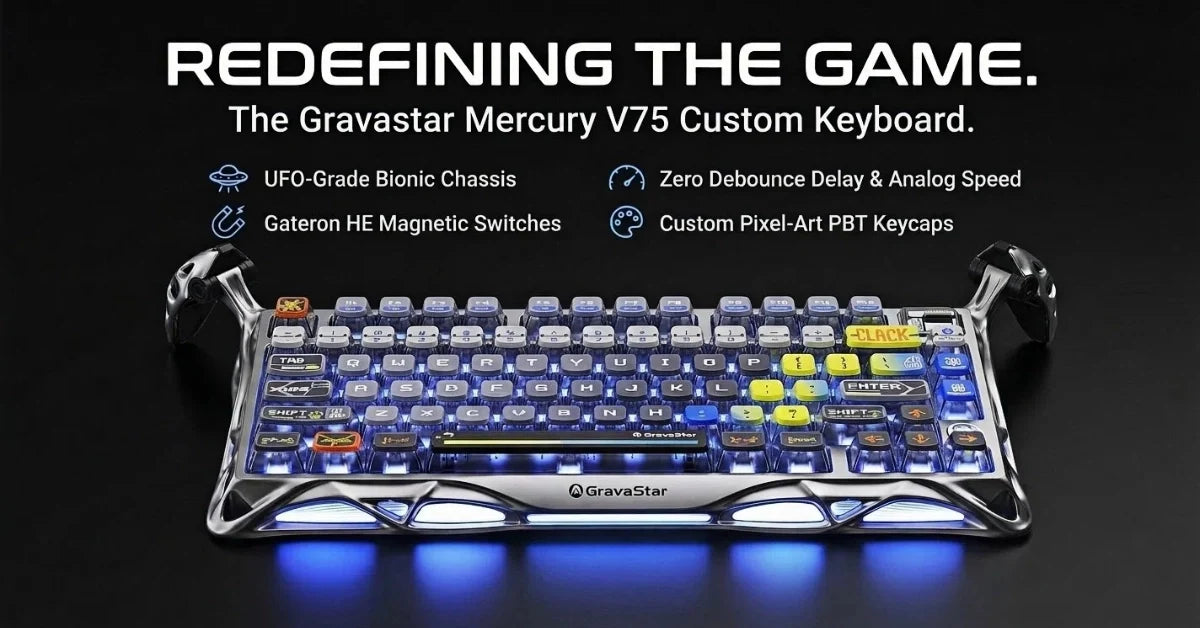
The Mercury V75 is a 75% gasket-mounted board with Kailh Speedy Mint linear switches at 45 gf actuation force. A 1.2 mm pre-travel distance and an 8,000 mAh battery back extended wireless sessions.
The Mercury K1 Pro and Mercury V60 Pro run GravaStar's UFO Hall Effect switches with adjustable actuation points down to 0.1 mm increments. Both support dynamic, rapid-trigger, and last-key-stroke prioritization for competitive gaming. All three boards suit minimalist setups where desk space and input precision take priority over a full-size board.
Explore the full Mercury lineup here and find the board that fits your setup.
Frequently Asked Questions
What is a 1800 layout keyboard?
An 1800 layout keyboard is a compact form factor that retains the full numpad, function row, and navigation cluster from a standard 104-key board while removing the dead space between clusters. The result is a narrower footprint – typically around 96–98% of a full-size keyboard's width – without sacrificing key count.
What is the difference between a 96% and a true 1800 layout?
A true 1800 layout uses physical gaps between the main cluster, navigation keys, and numpad, preserving spacing that matches a full-size board. A 96% layout compresses those gaps entirely, pulling every cluster tighter. The practical difference is that a 96% board often shrinks the zero key to 1u, disrupting numpad muscle memory for data entry.
Why does the size of the zero key matter?
The standard numpad zero key is a 2u key – roughly twice the width of a regular key – because it's used with the thumb during high-speed data entry. Most compact layouts shrink it to 1u to save width. If you do frequent blind typing on the numpad, a 1u zero key will disrupt your accuracy until you re-train your muscle memory, which, for many typists, is not worth the trade-off.
Is a 1800 layout keyboard good for gaming?
Yes, the narrower footprint compared to a full-size board brings the mouse closer to the center, reducing shoulder overreach during long sessions. Gamers who need the numpad for MMO binds, macro layers, or sim titles get the full key count in a more comfortable mouse placement position.
What should I look for in a hot-swap 1800 layout keyboard?
Confirm the PCB accepts both 3-pin and 5-pin switches, since this gives you access to the widest range of switch options. Check whether the stabilizers are screw-in or plate-mounted: screw-in stabilizers are easier to tune and replace. Also, verify the socket brand, since some boards only accept proprietary low-profile switches.
Do 1800 layout keyboards work with standard keycap sets?
Most do, but check the right Shift size first. The compact footprint typically requires a 1.75u right Shift, which most major keycap sets include. Some boards also use non-standard bottom row spacing, so confirm compatibility before buying aftermarket keycaps.
How much does a good 1800 layout keyboard cost?
Budget options like the Epomaker TH99 and Royal Kludge S98 sit under $100 and offer solid gasket-mount construction with wireless connectivity. Mid-range boards like the Yunzii AL98 and MechLands Vibe99 sit in the $100–$150 range. Premium enthusiast builds like the Qwertykeys Neo98 and Meletrix Zoom98 push past $150 and offer aluminum cases, deeper customization, and more mount options.

Leave a comment
This site is protected by hCaptcha and the hCaptcha Privacy Policy and Terms of Service apply.