

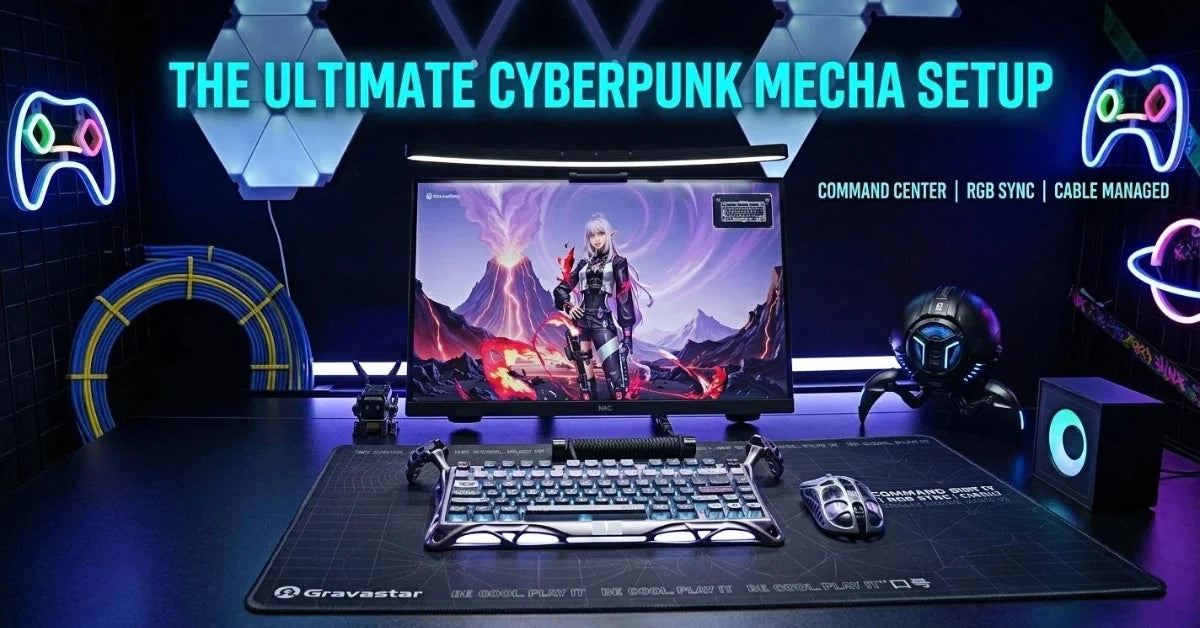
A cyberpunk mecha desk build is a fully functional command center for gaming, productivity, and content creation, not just a photogenic setup.
Blade Runner's industrial corridors, Evangelion's cockpit aesthetics, and Cyberpunk 2077's neon-drenched streets inspire the core visual language. The design combines mecha frames, sculptural audio, and a cockpit layout that wraps your field of view.
The ultimate build runs on a locked color palette and performance-grade gear. Every piece’s design, from war-damaged shell patterns to neon graffiti, contributes to a unified visual identity.

Lock in Your Color Palette and Theme
Anchor your desk setup to one or two hero colors before buying a single piece of hardware. Apply those colors consistently across every surface, from your keyboard and speakers to your mouse pad and charger.
Picking a visual direction early, whether Corpo black and teal or Street Neon Graffiti multi-color, prevents hardware choices from clashing later. Pick one statement piece with a strong finish first, then select the remaining components to complement it.
A war-damaged yellow charger against a matte black surface, for example, draws the eye without competing with accent lighting. Hardware with industrial shell textures and neon patterns ties the whole desk together without requiring every piece to match exactly.
Build the Mecha Command Center Foundation
A deep, sturdy desk with enough surface area for ultrawide monitors and a tower is the structural decision on which every other choice depends on. Matte black, carbon fiber, or smoked glass surfaces give RGB lighting and metal hardware the contrast they need to land.
Before committing to a size, measure your space carefully, since a desk that's too shallow pushes monitors too close and breaks the cockpit feel.
Mounting points and under-desk real estate need a fixed position before any hardware goes down. Four things to sort first:
- A power strip is positioned as the visible reactor core.
- Cable raceways are routed along the desk frame.
- USB hubs are mounted out of sightlines.
- Fast chargers are docked into the power strip to keep the power gear on-theme.
Screens, Layout, and That Cockpit Feel
Ultrawide or multi-monitor layouts that wrap your field of view are the fastest way to shift a desk setup from functional to immersive. Mounts display on heavy-duty, robotic-looking arms to float them above the desk surface, freeing up workspace below. Two monitor configurations work well for a cyberpunk mecha build:
- A single ultrawide suits gaming and productivity equally, with no bezel gap breaking immersion.
- A dual-monitor build works better for creators who need a dedicated reference screen while editing on the main display.
- A laptop screen positioned as a secondary display keeps the primary monitor at eye level.
For the best viewing angle, set monitor height so the top bezel sits near eye level, with side displays angled slightly inward for a fighter-cockpit effect.
Lighting and Software: Making the Desk Feel Alive

Physical lighting, software sync, and scene automation work together to make a cyberpunk mecha desk feel intentional rather than assembled. Each layer has a specific job, and setting them up in order prevents the RGB chaos that makes most gaming setups look unfocused.
Physical lighting setup
Geometric light panels or LED lines behind your displays create the grid effect that defines a cyberpunk mecha desk.
Sync your keyboard and speaker RGB to a defined palette rather than a full rainbow cycle. Every light source should read as part of the same system, not a competing one. War-damaged yellow, teal, or neon graffiti tones work as anchor colors that tie physical lighting to your hardware finish.
Software sync and effects
Nanoleaf screen mirroring reacts to in-game colors in real time, so Cyberpunk 2077's neon streets spill onto your wall during gameplay. PC lighting via MSI Mystic Light or Razer Synapse ties case fans, the keyboard, and peripherals into a single controllable system. Choose either screen mirroring or Chroma integration to avoid conflicts, since running both simultaneously causes color clashes and drop-outs.
Automation and scenes
Scene modes let you switch the entire desk environment with one input. A Netrunner Mode dims the lights and shifts RGB to teal and purple, while a Focus Mode drops animations and holds a warm white. Basic vendor apps handle most scene switching, with Home Assistant or IFTTT available for deeper automation without a full developer setup.
The Showcase PC: Performance Meets Cyberpunk Styling
A tempered-glass or open-frame computer case with clear sightlines for RGB fans, tubes, and cables turns your PC into a display piece without compromising airflow. High-performance components, a modern GPU, a fast CPU, and NVMe SSDs look sharper when cable colors match your hero palette.
Custom sleeved cables in your anchor colors tie internal cable management to the clean aesthetic on the desk surface. Power planning matters as much as aesthetics in a build this dense. An 850W or higher PSU handles high-end GPUs and multiple peripherals without throttling under load.
Neon strips, fan frames, and top- and bottom-light bars echo your wall-grid lighting and reinforce the cyberpunk color story running across the rest of the setup. Airflow needs deliberate attention when RGB panels and dense component layouts share the same case.
Position intake fans at the front and bottom, exhaust fans at the top and rear, and leave enough clearance around the GPU to keep the build cool during long sessions. A mini PC works as an alternative for smaller desk setups where a full tower isn't practical.
Mecha-Grade Peripherals: Keyboard, Mouse, and Surface
Peripherals are the physical interface between you and your desk setup. Every piece should earn its place through performance and visual fit. Weak hardware undermines the build, no matter how good the rest of the desk looks.
Keyboard as a centerpiece
A compact 75% or tenkeyless keyboard is the right size for a cyberpunk mecha build. It keeps mouse space open on the main desk while covering every key a gamer or creator needs for productivity and competitive play.
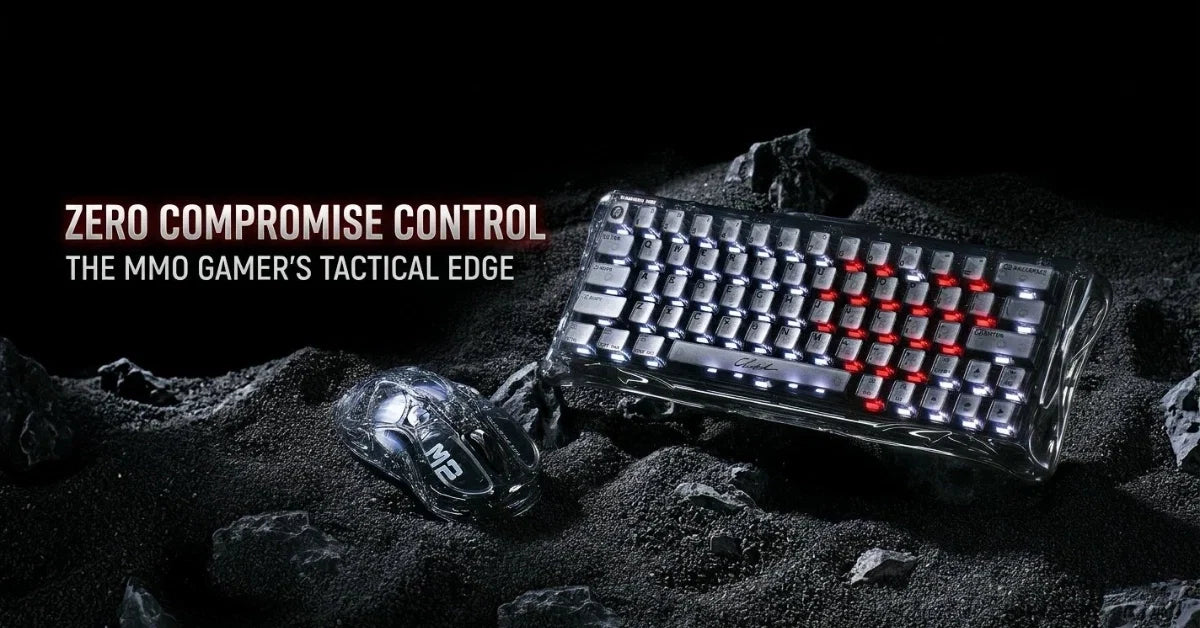
The Mercury V75 Pro Special Edition Neon Graffiti features Hall-Effect gaming switches with 8kHz polling and adjustable actuation down to 0.1mm increments. Multi-zone RGB matches the cyberpunk art running across the rest of the setup.
Hall Effect switches use magnetic sensors rather than physical contacts, delivering faster key response and a tactile feel that holds up across millions of keystrokes. Rapid trigger and adjustable actuation give you a level of control that traditional mechanical switches can't match.
The result is a keyboard that feels like a pilot's console under your fingers: precise, responsive, and built for execution.
If you’d prefer a full-sized keyboard, the Mercury K98 Pro gives the setup a larger control-center feel with its 98% layout and dedicated number pad. Its CNC aluminum alloy chassis, skeletonized exoskeleton frame, 1.65-inch TFT display and three-sided RGB lighting make it a stronger visual centerpiece for a cyberpunk mecha desk. Dual 8K polling in wired and 2.4 GHz modes keeps the board responsive enough for competitive gaming.
Mouse and surface
A lightweight, FPS-friendly mouse with an industrial finish complements the mecha aesthetic without adding visual clutter to the desk.
Pair it with the Tempered Glass Mouse Pad for a surface that combines 9H glass durability with micron-level etching for fast, stable tracking. Desk edge padding keeps long gaming and editing sessions comfortable without disrupting the build’s visual direction.
Soundscape: Audio That Looks Like Mecha Art
Great audio gear turns a cyberpunk desk setup into a cinematic experience for gaming and content creation. Whether you're deep in Night City or editing for YouTube and TikTok, placement and software tuning matter as much as the hardware itself. Getting both right is the tip that separates a dialed-in setup from a masterpiece.
Why audio matters in a cyberpunk setup
A system-wide EQ or game-specific sound profile sharpens footsteps and dialog clarity, inspiring better spatial awareness and faster reactions. For content makers streaming on Discord or brainstorming in a home office setup, clear audio matters as much as any visual decoration on the desk.
Mars Pro as sculptural speakers
The Mars Pro speakers sit on either side of the desk like mecha sentinels, hand-crafted with industrial shells and 20W dual drivers that fill a room without distortion.
Position a stereo pair on either side of your monitor using True Wireless Stereo for symmetrical visual placement and immersive stereo imaging. RGB music-sync modes tie audio into the light grid, so your speakers pull their weight as part of the desk environment rather than background equipment.
Ergonomics And Long-Term Comfort
A great setup should look impressive while remaining comfortable for daily use. Proper ergonomics help reduce fatigue during long gaming, work, or creative sessions.
Start by selecting a chair that provides adequate support. Make sure it offers comfortable support for your lower back and enough knee clearance. Choose a chair with:
- Adjustable lumbar support
- Comfortable and sturdy armrests
- Adjustable seat positioning
Monitor placement is equally important. Position the display so your eyes naturally align with the upper third of the screen without forcing your neck up or down.
Several simple additions to your setup can improve long-term comfort, depending on your needs:
- Use a monitor arm
- Add a footrest if needed
- Use an anti-fatigue mat
- Invest in a wrist rest
- Center the main display
- Reduce glare from lighting
Sample GravaStar-Powered Mecha Build And Final Checklist
A complete GravaStar-powered mecha build should combine strong visuals with stable infrastructure. The setup should look cinematic from the doorway and still feel comfortable after hours of use.
There’s no need to go overboard on the budget. For a starting setup, we recommend:
- A deep matte desk and an ergonomic chair
- An ultrawide monitor
- Tempered-glass or open-frame computer case
- The GravaStar Mercury K1 Pro keyboard
- A spacious, non-slip mousepad
Build the audio zone with a Supernova stereo pair, then place the Alpha65 GaN charger on a mecha-style power strip for a visible charging station.
Use the checklist below before you call the setup finished.
- Lock the color palette: Keep neon accents consistent across lighting, peripherals, and wallpaper.
- Hide the cable clutter: Check the desk from normal viewing angles and clean up exposed runs.
- Dial in the ergonomics: Adjust the chair, monitor height, and wrist position for longer sessions.
- Configure the scenes: Match lighting, audio profiles, and desktop themes to gaming or work modes.
- Secure the power plan: Add surge protection, UPS support, and heat clearance before scaling.
GravaStar’s “art meets technology” design philosophy fits a setup that evolves over time. Your mecha desk isn’t static. Enjoy it and evolve it with future GravaStar releases, next‑gen components, or refined automation as your needs and collection grow.
Browse the full GravaStar range here and find the pieces that fit your build.
Frequently Asked Questions
What is a cyberpunk mecha desk setup?
A cyberpunk mecha desk setup is a fully functional workstation designed around the visual language of mecha and cyberpunk aesthetics: industrial finishes, neon accent lighting, a cockpit-style monitor layout, and performance-grade hardware. It's built to perform as well as it looks, whether you're gaming, streaming, or creating.
How much does it cost to build a cyberpunk mecha desk setup?
Costs vary depending on the hardware tier you're targeting. A solid starting build with a matte desk, ultrawide monitor, themed peripherals, and a basic lighting rig can come together for under $1,500. Scaling up with a high-end GPU, custom-sleeved cables, and premium audio like the Mars Pro speakers will push that higher. Build in stages to manage spend without losing momentum.
What color palette works best for a cyberpunk mecha build?
Black and teal, war-damaged yellow over matte black, and neon graffiti multi-color are all strong choices. The key rule is to pick one or two hero colors and hold them consistently across your lighting, peripherals, wallpaper, and case internals. Visual coherence matters more than any specific color combination.
Do I need a full-size tower PC for this kind of setup?
No, a mini PC works well for compact desk builds where a full tower isn't practical. The trade-off is less upgradeability and fewer visual showcase opportunities inside the case, but it keeps the desk surface cleaner and the form factor tighter.
What makes Hall Effect switches better for a cyberpunk gaming build?
Hall Effect switches use magnetic sensors instead of physical contacts, which means they don't wear out the same way traditional mechanical switches do. They support rapid trigger and sub-millimeter actuation adjustment, giving you precise, repeatable input that holds up across millions of keystrokes – exactly what a high-performance command center setup demands.
Can I build this setup on a budget and upgrade later?
Yes, and that's the recommended approach. Start with the structural foundation, such as the desk, chair, and monitor, then layer in themed peripherals and lighting as budget allows. GravaStar's product range covers multiple price points, so you can start with a K1 Pro keyboard and a gaming mouse pad, then add Mars Pro speakers or a Neon Graffiti keyboard later without redesigning the whole setup.

Leave a comment
This site is protected by hCaptcha and the hCaptcha Privacy Policy and Terms of Service apply.