

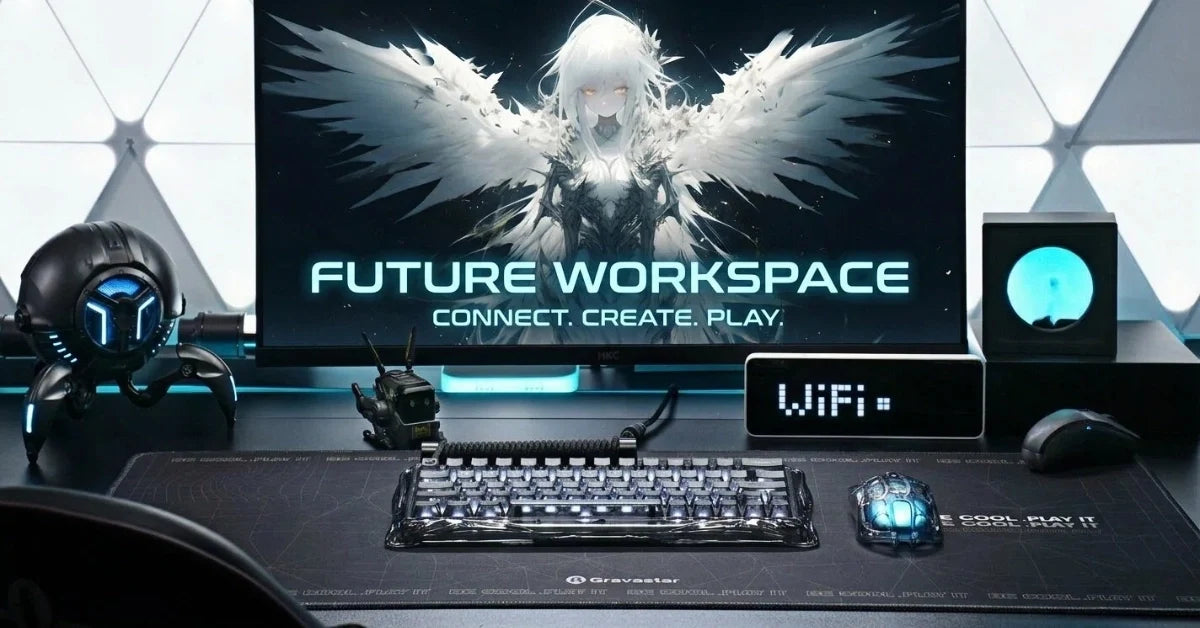
A futuristic desk setup blends sci-fi style with everyday function, turning a standard workspace into an immersive command center for work or gaming. In 2026, matching lights and sculptural technology can establish the theme without making the desk feel crowded. Because each item has a dedicated role, the completed area can accommodate both leisure and work within a single, integrated design.
Begin with the monitor position because the display anchors the entire layout, then repeat the same colors and finishes across the equipment. For example, metallic controls can echo a silver display mount, and hidden cables can keep the theme free from visual clutter. Once the key elements feel connected, a soft wall glow can separate the screen from its background without covering every surface in lights.

How to Build a Futuristic Desk Setup
Build the room in connected layers, beginning with the desk and display position before choosing a visual direction for the surrounding accessories. Because the large surfaces establish the room’s foundation, planning them first makes it easier to match smaller details later.
Choose a Clean Color Palette
Choose one dominant color for the desk and wall, then add one accent color through lighting or equipment. Black and silver create an industrial command-center look, whereas white and pale gray make the area feel brighter. A darker base gives neon lighting stronger contrast, and a lighter surface reflects more of the surrounding glow.
For a more defined direction, use one of these specific combinations as your starting point:
-
Create an industrial scheme: Pair a matte black desk with silver hardware, then add ice-blue lighting behind the monitor.
-
Create a clean sci-fi scheme: Pair a white desktop with pale gray equipment, then add a soft violet wall glow.
-
Create a cyberpunk scheme: Pair charcoal surfaces with purple lighting, then use amber as a smaller accent.
After choosing the palette, repeat each finish across separate areas instead of placing every matching item together. For example, a silver display mount can connect with an aluminum keyboard frame across the desk. The Mercury V60 Pro keyboard offers GunMetal and Chrome Silver finishes, giving you two ways to carry a metallic theme into the controls.
When accessories have complex shapes, simple furniture finishes give sculpted equipment more visual space and keep the overall scene clear. Within that restrained foundation, small color changes can distinguish work and gaming zones without breaking the shared theme.
Add Layered Smart Lighting
Use separate light sources for the wall and work surface so you can change the mood without losing visibility. After placing an LED strip behind the monitor, direct a desk lamp toward the keyboard area without sending either beam across the screen.
To balance lighting across the wall and work surface, assign each source a specific job:
-
Place the background light: Mount an LED strip 2-4 inches inside the monitor’s rear edge to hide individual diodes.
-
Place the task light: Aim a monitor bar or desk lamp at the keyboard area without directing its beam toward the screen.
-
Place the accent light: Install two or three modular panels above one side of the monitor to avoid a perfectly symmetrical wall.
Choose one primary color for normal use, then reserve animated effects for games or music. Because constant motion across several devices can compete for attention, slower ambient effects create atmosphere without making the room feel visually busy.
The Mercury V60 Pro includes 16 RGB modes with dual-zone control, covering the keys and side lighting. By matching its color with the monitor backlight, you can connect separate devices before adding a second tone to the wall.
Select Aesthetic PC Accessories
Aesthetic PC accessories should support the theme and the way you use the computer. Start with desk accessories you touch most often because their size and placement shape the open area around them. A compact keyboard can leave more room for mouse movement, whereas a larger layout keeps extra controls within reach.
Match the keyboard and mouse by material or shape instead of relying only on color. The Mercury X Pro mouse uses a 49-gram magnesium-alloy frame with a hollow skeleton design. Its five lighting modes can echo nearby controls, and its open structure adds mechanical detail to the desktop.
If you prefer a mechanical keyboard, choose a frame and keycap set that repeat the mouse’s finish. A boom-mounted microphone can follow the same material direction, turning necessary streaming equipment into part of the visual design. Mount the mic on a low-profile arm so it remains accessible without blocking the screen or wall lighting.
After arranging the primary controls, leave enough space between each accessory to show its outline. A large desk mat can define the control zone and protect the surface without adding another busy pattern. To preserve that open layout, place headphone stands or small docks near the edge instead of crowding the central area.
Hide and Organize Cables
Plan cable routes before fixing lights or monitor arms in place, since later changes may require you to remove mounted equipment. Next, run display and power cables toward the same rear edge before guiding them into an under-desk tray. Strong cable management uses reusable ties for grouped cords and adhesive clips for shorter sections against the desk frame.
For a cleaner result that remains easy to adjust later, give every cable a defined route:
-
Route monitor cables: Run display and power leads down the monitor arm, then secure them at each moving joint.
-
Route peripheral cables: Guide both control leads through one rear clip so the central area stays open.
-
Route charging cables: Fix each lead below the desk edge, leaving only 6-8 inches available above the surface.
Place the power source close to the devices it serves so long cords stay below the desktop. The Alpha65 charger supplies up to 65W through two USB-C ports and one USB-A port. Its transformable robot form lets the charger contribute to the sci-fi theme when it remains visible.
Keep charging cables in one dedicated corner rather than stretching them across the main control area. For instance, a short cable can serve a phone stand, and a longer lead can remain clipped below the desk. Because each connection follows an obvious path, you can upgrade equipment without rebuilding the entire cable management system.

Design the Wall Behind Your Desk
Use the wall as the command center’s background and add depth through modular panels or a narrow floating shelf. Leave open space around each feature so the composition stays balanced and the desktop remains clear.
When choosing artwork, repeat the setup’s colors or sci-fi subject so the wall feels connected to the equipment below. Technical diagrams and spacecraft prints can strengthen the theme without adding another light source. If you want more visual movement, a digital display can provide a changing focal point without occupying the desktop.
To reinforce the command-center setting without crowding the background, choose wall pieces with a clear role:
-
Mount geometric light panels: Build an offset line that starts above the monitor and rises toward one corner.
-
Frame technical artwork: Display a spacecraft schematic or mechanical cutaway using the setup’s main accent color.
-
Install a floating shelf: Show one speaker and one collectible, leaving open space around both objects.
The Mars Pro speaker can extend the mecha look beyond the control area through its articulated, robot-inspired body. Position it on a stable shelf or clear desk corner where its form remains visible. Keeping the speaker near the wall can connect the decoration with the equipment below.
Futuristic Desk Setup Ideas for 2026
Although different layouts can follow the same design principles, each concept should be structured around your available space and daily activities. After choosing a direction, adjust its lighting and accessories around those limits so the finished setup reflects how you use it.
Minimalist Command Center
A minimalist command center uses open space as part of the design, so begin with a plain desk and one monitor arm. From there, arrange the controls inside a compact zone and move the computer toward one end to keep the center clear.
To preserve the open appearance, use a restrained color scheme with one soft lighting effect. White light behind a dark monitor can create a sharp outline, whereas a muted blue glow adds a cooler sci-fi tone. On the wall, one geometric panel or framed print can support the monitor without making the background feel crowded.
Because fewer objects share the visual field, choose accessories with strong shapes that can provide enough detail without extra ornaments. A metallic keyboard and open-frame mouse can establish that mechanical character across the control zone. Below the surface, cable trays and hidden charging points preserve the clean finish from the front and sides.
Cyberpunk Gaming Station
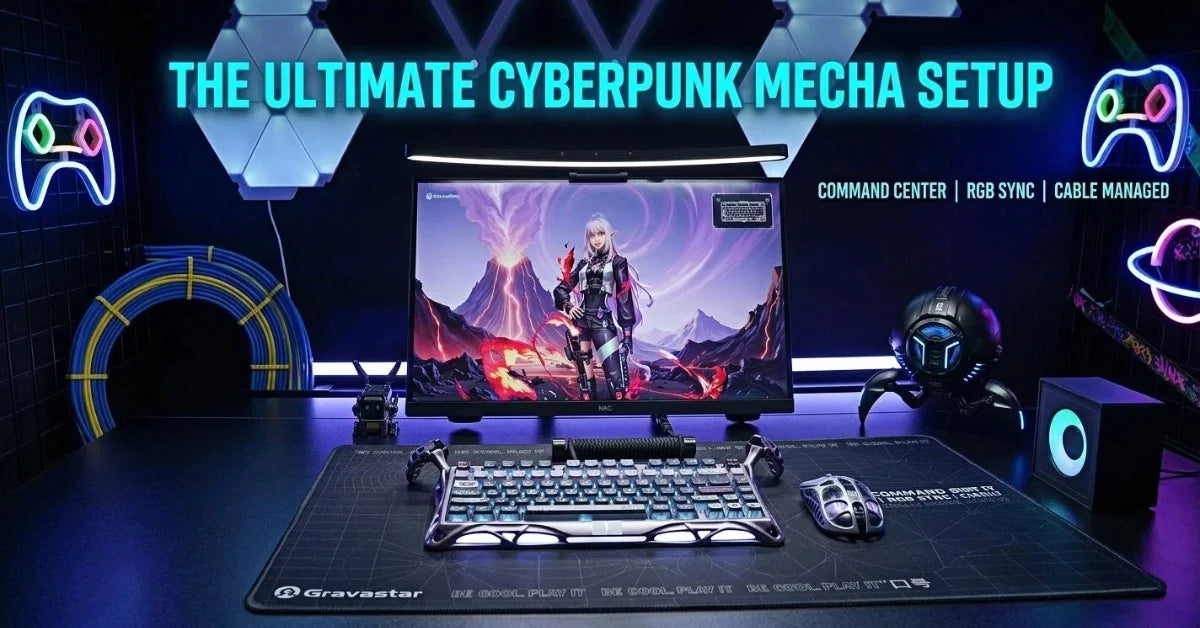
A cyberpunk gaming station combines darker surfaces with bright color contrast, creating a stronger visual shift between the equipment and background. Begin with a matte black desk or dark wall, then choose two light colors. Purple and blue create a cooler atmosphere, whereas red and amber produce a warmer, industrial effect.
Place the strongest color behind the monitor and use the second color on the keyboard or wall panels. During gaming, animated RGB effects can add movement before returning to a steady glow when you need fewer distractions. To connect the screen with the physical lighting, choose a cyberpunk wallpaper that repeats one of the room’s established colors.
Instead of filling the area with unrelated collectibles, add selected mechanical forms that support the industrial direction. The Mars Pro speaker can become a visible part of the scene, and the Alpha65 can carry the same robot-inspired language into charging. Across those accessories, distressed metal finishes can strengthen the cyberpunk look without changing the basic layout.
Flexible Work and Gaming Space
A flexible setup needs visual consistency even when the equipment changes between tasks, so begin with a monitor arm that can shift viewing angles. For an ergonomic upgrade, an adjustable standing desk can move the entire workspace between seated and standing positions. Next, divide the desktop into a permanent control zone and an open work area, using a nearby shelf to store inactive items.
To make each mode feel distinct, set separate lighting scenes for work and gaming without changing the room’s primary colors. A steady neutral light can support daytime tasks and a stronger RGB scene can change the mood after work. Because both scenes remain within the same color family, the room retains a connected appearance throughout the day.
Wireless accessories can reduce the number of cords crossing the work area, making it easier to change the layout between tasks. The Mercury X Pro supports a wired connection plus two wireless options through its tri-mode design. Bluetooth 5.1 supports compatible devices, and 2.4GHz wireless handles its dedicated connection. As your activity changes, move only the equipment needed for that mode and keep inactive items on the nearby shelf.
Complete Your Futuristic Desk Setup With GravaStar
To continue the same look across your desk, choose aesthetic PC accessories with matching shapes and finishes. The GravaStar Mercury V60 Pro keyboard combines an aluminum body with multi-zone RGB lighting, and the Mercury X Pro mouse carries the sculpted style forward.
The Mars Pro speaker adds mecha-inspired design and gives the desktop a strong visual feature. Meanwhile, the Alpha65 charger follows the same theme with a transformable robot shape and 65W charging. Explore GravaStar’s futuristic gear when you’re ready to build the ultimate connected setup with clear sci-fi character.
FAQs
Can I build a futuristic setup on a small desk?
Yes, and a smaller surface often produces a cleaner result because it forces you to keep only the equipment you use daily. Choose a compact keyboard layout, mount the monitor on an arm to recover the space a stand occupies, and move the lighting onto the wall rather than the desktop.
Will RGB lighting make it harder to focus during work?
Only if the effects stay animated all day. Set one steady color at low brightness for work hours, then save reactive or cycling modes for gaming and music. Because the keyboard, monitor backlight, and wall panels can each be controlled separately, you can dim the accent layers and keep task lighting on the keyboard without changing the room's color scheme.
How do I keep the setup cohesive when the accessories come from different brands?
Match on material and shape before color, since a shared finish reads as intentional even when the products differ. Aluminium and magnesium alloy frames sit together well, whereas a glossy plastic peripheral will stand out beside brushed metal. If one item breaks the theme, move it below the desk or off to the side rather than replacing the whole setup.
Do I need a mechanical keyboard for a futuristic desk setup?
Not strictly, though a mechanical or Hall effect board gives you two things a membrane keyboard cannot: a metal frame that carries the theme, and per-key lighting you can tune to the rest of the room. If you already own a keyboard you like, a metallic keycap set and a matching wrist rest can bring it closer to the theme at a lower cost.


Leave a comment
This site is protected by hCaptcha and the hCaptcha Privacy Policy and Terms of Service apply.