

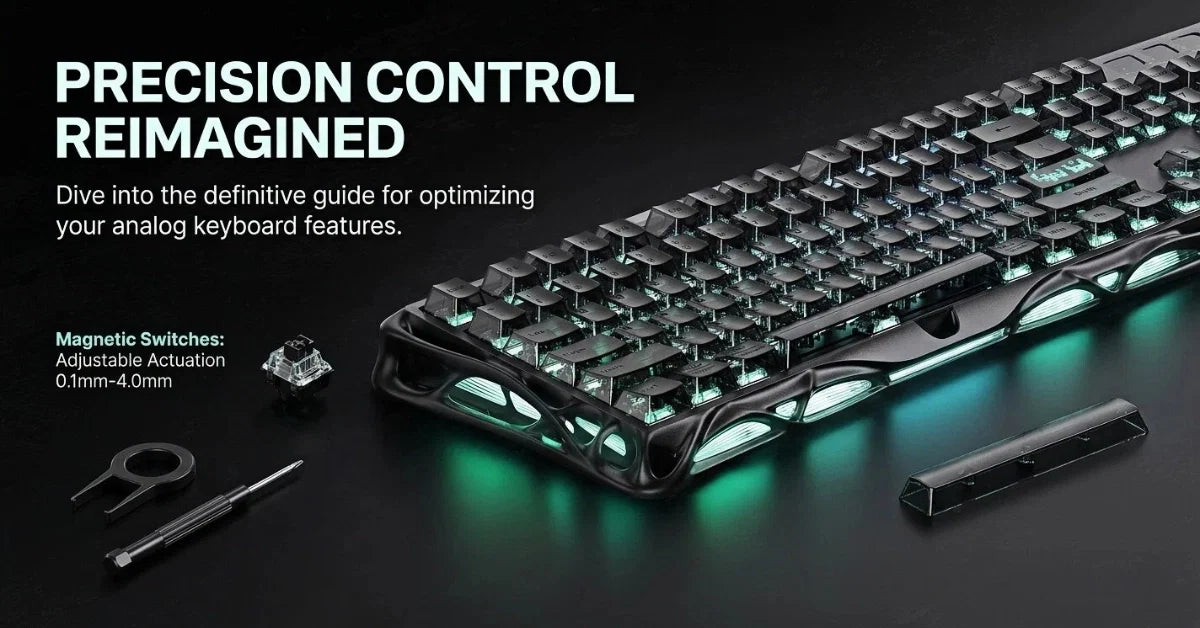
Imagine controlling your in-game character with the same precision as a racing wheel or controller joystick, but never lifting your hands from the keyboard. That’s the promise of analog keyboards, which offer a level of control previously impossible with standard mechanical keyboards.
Unlike traditional keyboards that simply register whether a key is pressed or not, analog keyboards detect exactly how far you’ve pressed each key, translating that precise movement into your game.
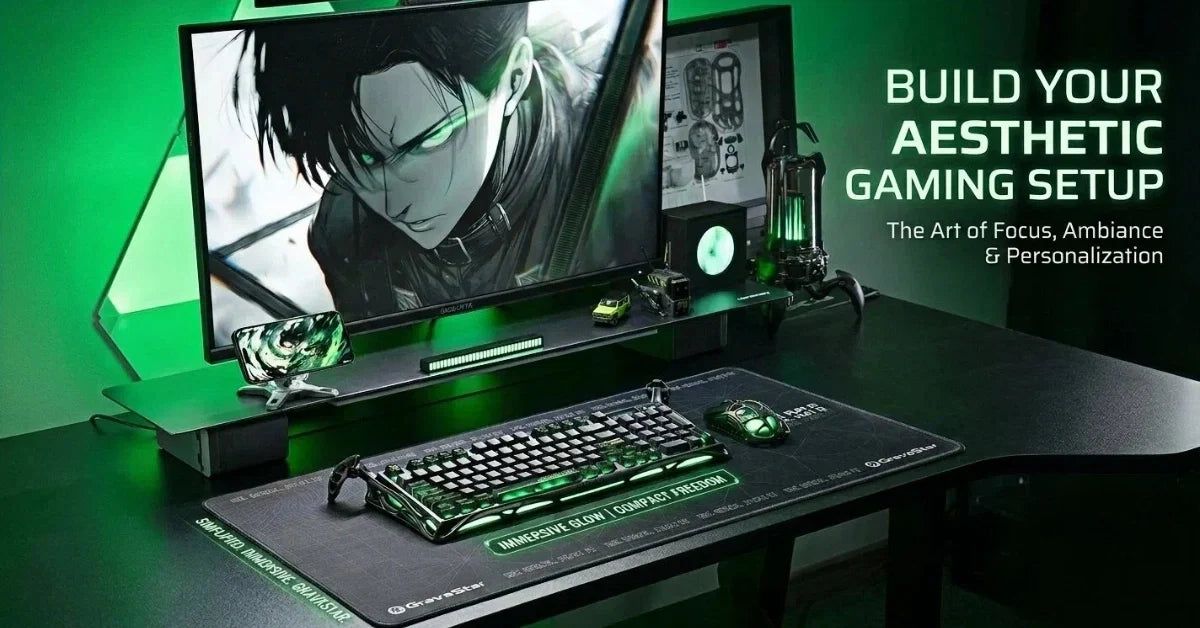
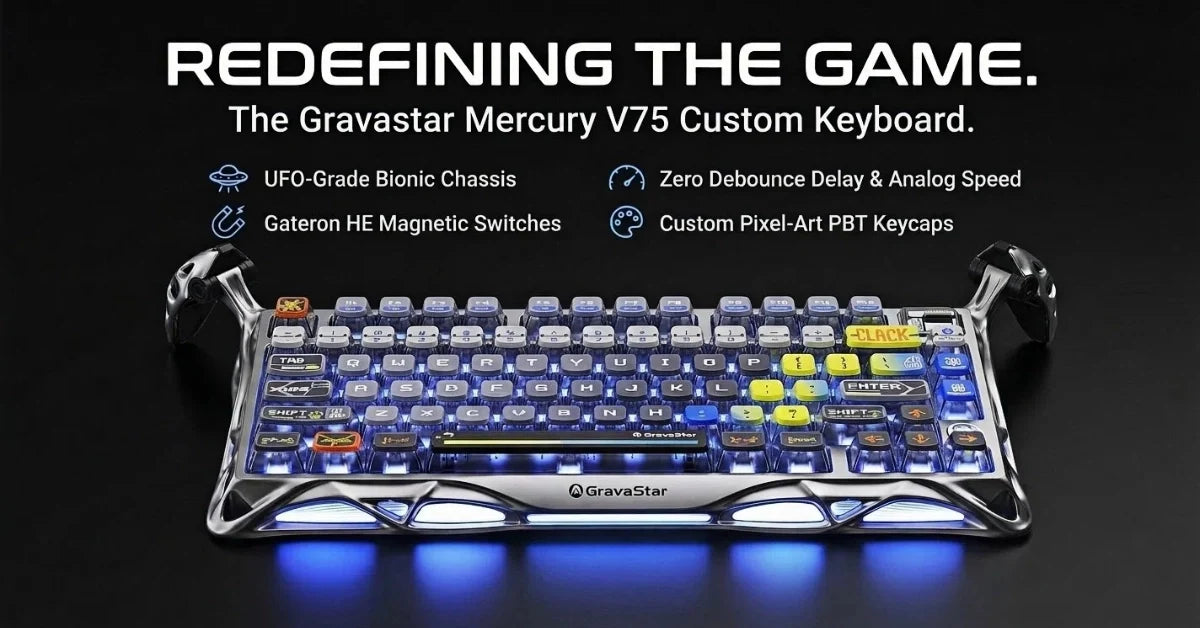
Cost and compatibility are two barriers for players, but an analog keyboard is worthwhile if you play compatible games. If you’re shopping around, GravaStar’s upcoming Hall Effect gaming keyboard will give you a competitive edge and add some style to your setup.
What Is an Analog Keyboard?

An analog keyboard is a keyboard that detects how far down each key is pressed and converts that distance into a continuous input signal. The deeper the press, the stronger the signal sent to the system, allowing for variable input levels instead of fixed on/off commands.
This keyboard type uses magnetic or optical sensors under each switch to measure real-time key travel, translating it into analog values for supported software or games. The result is input that behaves like a trigger, throttle, or joystick axis, with full control over the range between zero and full activation.
How Do Analog Switches Work?
Analog keyboard switches detect how far a key has been pressed and convert that distance into a variable electrical signal. Instead of sending a fixed on/off command like a digital switch, they output a continuous signal corresponding to the key’s travel depth.
Control Signal
Each switch is controlled by firmware that monitors the sensor output and interprets the key position in real time. That control signal determines how input is routed to the operating system or game.
Sensor Mechanism
Different analog keyboards use different sensors. Some use magnetic sensing (Hall Effect), while others rely on optical switches that detect how much light is blocked or allowed through the stem as the key moves. Both systems generate a continuous stream of analog data that reflects key depth.
Signal Processing
As the key moves, the analog signal is sampled and converted through a microcontroller. This allows functions like analog movement, adjustable actuation, and real-time analog value tracking for each keystroke.
Implementation
Whether magnetic or optical, the switch hardware replaces the traditional metal leaf contact of a mechanical switch with a non-contact sensing system that sends precise input levels based on motion instead of just pressure.
What Features Make Analog Keyboards Different?

An analog keyboard uses real-time input tracking and pressure-based actuation to support gameplay features that digital switches can’t provide. Features like adjustable actuation and rapid trigger allow players to fine-tune response points and reset speed per key, creating faster input cycles and more control over in-game movement.
Continuous Input Detection
Analog keyboards enable each keystroke to adjust game response dynamically based on pressure level, allowing input ranges instead of binary output. This unlocks features like analog movement, throttle ramping, or feathered input in supported games. For example, pressure-controlled strafing or tilt-to-aim functions become available without switching to a gamepad or stick.
Adjustable Actuation Points
Adjustable actuation lets you define how far a key must be pressed before it sends input. This helps reduce latency or avoid accidental presses, depending on the set depth. Using the analog keyboard software, you can assign a unique actuation point to every key on the keyboard, matching your preferred speed or pressure level across different game types.
Rapid Trigger Technology
Rapid trigger resets the key immediately as pressure is released, instead of waiting for it to rise above a fixed point. This gives players faster reactivation during movement or combat. By eliminating return distance, the keyboard improves responsiveness in directional inputs, making it ideal for gaming styles that rely on timing, like counter-strafing or fast peeking.
Gradual Input Sensing
Analog keyboards can assign multiple in-game functions to a single key based on press depth. This enables different actions, such as walking and sprinting, at different travel ranges. The keyboard continuously tracks motion and outputs a signal scaled to that position, giving users precise pressure-based input control.
Durability
Analog keyboards use contactless sensing, such as magnetic or optical systems, that avoid friction and physical wear. This increases the lifespan of each switch while maintaining consistent performance. Keyboards that use Hall Effect sensors eliminate mechanical bounce entirely, preserving a stable typing and gaming feel over long-term use.
How Do Analog Keyboards Improve Gaming Performance?
A gaming keyboard with analog capability improves performance by delivering smoother motion, faster key resets, and tighter control timing in high-pressure situations. These benefits come from how the analog input responds to motion depth in real time, giving players more control during fast or precision-based sequences.
Precise Movement
With directional input tied to key travel, an analog keyboard lets players ease into movement rather than committing to complete steps. This is especially useful in stealth games or tactical shooters where partial motion helps with jiggle peeks, pixel angles, and noise control. The effect is smoother character control without relying on modifiers or separate binds.
Variable Speed Control
In racing or vehicle-based games, players can fine-tune their acceleration using pressure-sensitive keystrokes. This allows for mid-corner throttle adjustments and gradual braking, which isn’t possible with a standard keyboard. The improved speed modulation helps with lap times, stability, and recovery under sudden shifts.
Input Accuracy Under Stress
Because the keyboard can read shallow presses, players don’t need to fully bottom out a key for input to register. This helps in games where repeated taps or micro-movements are required, like strafing or crouch spam. Lighter presses lower physical effort and reduces input errors when reaction time is tight.
Command Layering on Fewer Keys
Each single key can support multiple actions depending on the pressing depth. For example, light press = walk, mid press = sprint, full press = activate ability. This reduces bind count and allows gamers to centralize key locations for faster access.
Cleaner Timing in Movement Mechanics
Including a rapid trigger on a gaming keyboard allows keys to reset immediately during upward motion. This improves consistency in tap-strafing, double inputs, and cancel mechanics by removing the delay between press and reactivation. The result is tighter input windows and more reliable movement loops in advanced play.
Are There Any Downsides to Analog Keyboards?
Despite their advantages, analog keyboards have measurable drawbacks that affect cost, game support, input stability, and how each keystroke responds in different genres. These limitations appear when depth-based input isn’t properly supported, calibrated, or maintained.
Cost
Analog keyboards with features like rapid trigger and dynamic depth detection are more expensive than most mechanical keyboards.
Limited Game Compatibility
Some popular games don’t support analog input, which causes analog signals to behave like standard digital presses. This removes the benefit of analog movement in games that expect binary key states, especially in PC gaming setups that mix keyboard/mouse input with controller layers.
Steep Learning Curve for New Users
Analog boards require users to understand actuation tuning, signal curves, and calibration profiles to avoid input drift or delay. Without properly configured remap settings, users may activate abilities too early or struggle to maintain walk-run transitions. This learning curve can frustrate players accustomed to static mechanical switch behavior and fixed actuation point response.
Accidental Key Presses
The variable actuation point of analog switches makes it easier to trigger actions unintentionally. Players adjusting to depth-based keys may press too lightly or hold the key within the activation zone, affecting keystroke accuracy in competitive gaming.
Difficulty Maintaining Consistent Speed
Because analog switches track continuous motion rather than discrete input, keeping a stable walk or throttle speed can be harder. Racing and stealth games often require players to practice depth control to match analog stick-like behavior using a single key.
Cleanliness
Keyboards using magnetic or optical analog sensing are more exposed to environmental buildup. Dust or oil on sensor paths can interfere with analog key stability, requiring more frequent cleaning than a sealed mechanical switch configuration.
Analog Keyboard vs Mechanical Keyboard: How Do They Compare?
The difference between an analog keyboard and a mechanical keyboard lies in how they detect and process key input. One captures full motion range and outputs variable signals, while the other sends a fixed on/off state. These design differences affect how movement, reset timing, and layered input behave during fast or complex actions.
|
Feature |
Analog Keyboard |
Mechanical Keyboard |
|
Signal Output |
Sends real-time analog values that scale with keystroke depth. |
Sends a single binary signal once the actuation point is crossed. |
|
Switch Technology |
Uses magnetic or optical systems to measure travel distance. |
Uses metal contacts to close a circuit at a fixed point. |
|
Motion Control |
Supports partial movement, throttle modulation, and smooth transitions. |
All movement is binary, walk/run toggles, or movement steps require extra keybinds. |
|
Input Reset Timing |
With rapid trigger, keys reset immediately during upward motion. |
It requires full release above the actuation point before the key can be activated again. |
|
Multi-Function Key Press |
A single key can trigger multiple actions at different depths. |
Possible on some boards using dual-actuation switches, but it depends on firmware and lacks full analog range. |
|
Software Customization |
Requires the keyboard manufacturer’s configuration tools to adjust travel range, actuation, and reset points. |
Available on select boards with magnetic or adjustable mechanical switches; software allows actuation tuning but typically not full analog motion mapping. |
|
Analog Input Support |
Only works fully in games that support analog input or controller emulation. |
Universally compatible with all PC games. |
|
Typing and Gaming Feel |
Variable resistance: Some switches feel linear, while others feel less tactile due to sensor placement. |
Offers a wide range of feedback styles (e.g., Cherry MX Red, Blue, Brown). |
|
Durability Factors |
Non-contact sensors reduce mechanical wear; longer switch lifespan. |
Durable, but contact points wear out with heavy use over time. |
What Games Support Analog Keyboard Input?
Games that support analog input allow players to control speed, direction, and precision based on how far a key is pressed. These titles interpret motion from an analog keyboard as controller input or native analog behavior, expanding what a gaming keyboard can do beyond binary actuation.
Not all popular games support analog keyboards. If your favorites don’t allow for analog keypresses, consider choosing a pro-level gaming keyboard like the GravaStar Mercury K1 Pro instead.
Racing and Driving Games
Titles like Trackmania Nations Forever, GRID Autosport, and WRC Generations support pressure-based motion tied to key depth. These games’ analog throttle, brake, and steering inputs improve lap times and turning accuracy. Standard switches can’t replicate this analog curve, making the analog keyboard a better fit for racing-focused gamers.
Shooters and Tactical Games
Rainbow Six Siege, Apex Legends, and Overwatch 2 support partial movement and walk-speed modulation via controller emulation. These features work seamlessly with analog keyboards, especially with traditional aim setups. Some players use per-key tuning to assign soft walk inputs while using rapid triggers for dodge or crouch behavior.
Rhythm and Precision Titles
Games like osu!, Clone Hero, and Geometry Dash benefit from custom actuation levels and reduced travel depth. Players can set low trigger points for fast reactions using PBT keycaps and a short actuation window. This is difficult to match on a standard keyboard, where each press is fixed and the reset delay is longer.
Simultaneous Input Support
Hybrid games such as DOTA 2, League of Legends, Alucinod, and Alwa’s Legacy allow both controller and keyboard input at once. This enables features like rapid trigger on a single key while maintaining mouse-based targeting. When combined with onboard memory and USB pass-through, this setup works straight from the keyboard without extra drivers or remapping tools.
What To Look For When Buying an Analog Keyboard?
Once you’re sure that your games support analog, you should look at input detection type, switch sensing method, software features, layout design, actuation control, and build quality when choosing an analog keyboard.
Each of these affects how precisely you can move, aim, or react in-game. Because analog keyboards measure key travel depth, they allow gradual inputs that digital keyboards cannot register.
Input Detection
Some analog keyboards use magnetic or optical sensors for true analog input, while others simulate it through fast digital polling. True analog sensing tracks exact key travel for smooth, continuous control. This improves precision during walk, aim, or throttle-based actions. Simulated input sends stepped signals that reduce accuracy during partial presses.
Switch Lifespan
Check for switch longevity in the technical specifications, as this directly impacts the keyboard’s long-term value and reliability during competitive play. Hall effect magnetic switches offer 100 million keypresses or more, outlasting optical switches (60 to 100 million keypresses). This extended durability ensures consistent performance even under intense gaming sessions.
Customization Options
The best analog keyboards offer customization beyond just actuation points. Look for models with per-key RGB lighting that can be synchronized with in-game events, removable key stabilizers for smoother keypresses, and hot-swappable switch options that allow you to replace individual switches without soldering.
Some premium models even include macro recording capabilities, enabling complex input sequences with precise analog timing for advanced gameplay techniques.
Response Time and Polling Rate
A high-quality analog keyboard should have minimal input lag and high polling rates to capture the nuanced pressure variations of your keypresses. Look for keyboards with polling rates of 1000Hz (1ms) or higher, as these sample key positions more frequently and deliver more precise analog control.
Some gaming-oriented models feature specialized processors that reduce the delay between key movement and signal processing, further improving responsiveness during fast-paced gameplay.
Analog Keyboard | FAQs
How does the typing experience compare to traditional mechanical keyboards?
The typing experience on analog keyboards differs notably from traditional mechanical keyboards. Most analog keyboards use linear switches without the tactile bump found in popular typing switches like Cherry MX Browns and Gateron Jade Gaming. This creates a smoother keystroke that some users find more comfortable for extended typing sessions.
Touch typists may need time to adjust to the variable actuation, as slight pressure variations may accidentally trigger keypresses. Many analog keyboards allow you to configure a fixed actuation point for typing and switch to analog mode for gaming, giving you the best of both worlds.
Can analog keyboards be used for professional gaming tournaments?
Yes, most major esports tournaments allow analog keyboards in competition, provided they don’t offer unfair advantages through macros or automated sequences. Professional gamers should check specific tournament rules beforehand, as some organizations have regulations about adjustable actuation points or rapid trigger features.
How do I troubleshoot inconsistent analog input in games?
If you’re experiencing inconsistent analog input, check if your game properly supports analog keyboard input or controller emulation. Then, verify that your keyboard’s configuration software is up-to-date and that you’ve selected the correct input mode for your game.
Calibrating your keyboard through the manufacturer’s software can resolve sensor drift issues. For persistent problems, try cleaning the switch housing with compressed air to remove dust that might interfere with optical or magnetic sensors. If problems persist, contact the manufacturer as sensor replacement may be necessary.
Are analog keyboards worth the extra cost compared to premium mechanical keyboards?
For competitive gamers in titles that support analog input, the premium price is often justified by the performance advantages in movement control, variable input speed, and customizable actuation.
Casual gamers or those who primarily play games without analog support may find better value in high-quality mechanical keyboards with features like hot-swappable switches, premium keycaps, and sound dampening. Consider your gaming preferences and whether your favorite titles support analog input before investing.

Leave a comment
This site is protected by hCaptcha and the hCaptcha Privacy Policy and Terms of Service apply.