

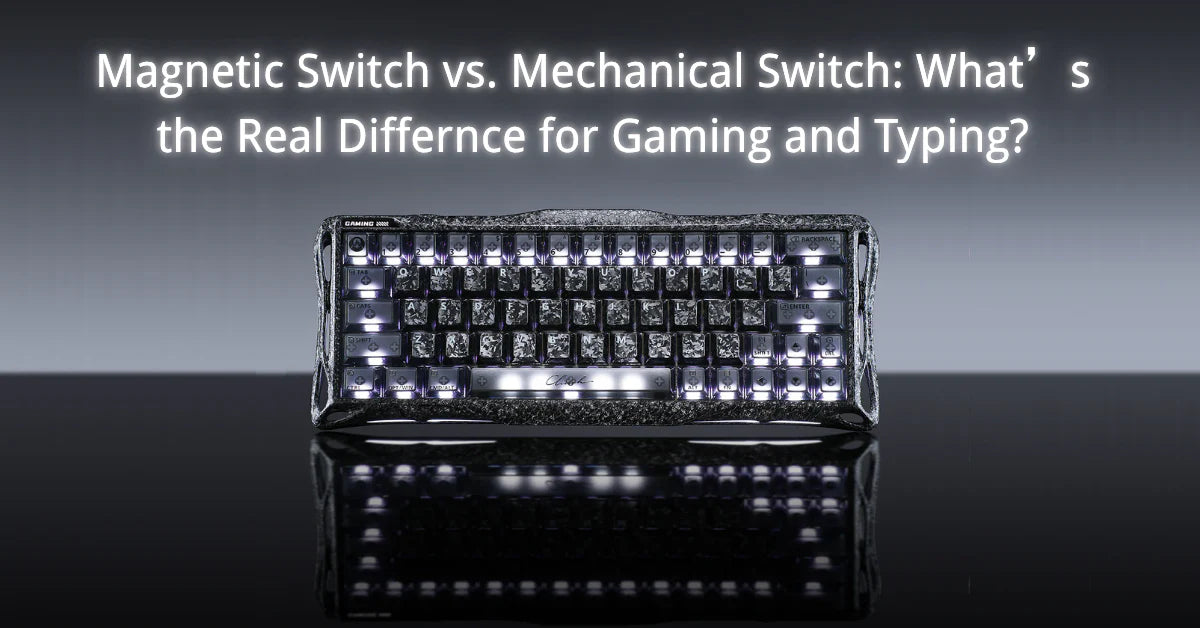
Switch type affects speed, control, comfort, and sound during use.
In the magnetic switch vs. mechanical switch debate, the biggest differences show up in actuation, reset behavior, feedback, and customization. For gamers, that can mean faster response and more precise control; for typists, it can mean better rhythm, comfort, and key feel.
In gaming, fast input depends on smooth travel and a stable reset between repeated presses. Linear designs remove tactile resistance, letting users react faster in competitive play and maintain cleaner movement during repeated inputs. For writing, tactile feedback helps fingers detect actuation sooner, so that users release at the right moment and reduce unnecessary bottoming out.
Lighter options can lower fatigue across long sessions. A clicky design can improve the typing experience for some users, but a louder sound may interrupt coworkers in shared rooms or distract from streaming audio during longer sessions.
To understand where those differences come from, it helps to look first at how each switch actually registers a keypress.
How Mechanical Switches Work

A mechanical switch registers key input through metal contact leaves inside the housing. Pressing the key moves the stem downward and compresses the spring beneath it. Stem geometry changes leaf position until physical contact is made, creating a short circuit inside the switch.
Pins connect the switch to the printed circuit board, where traces carry the closed state to the controller during each keyboard matrix scan cycle. Metal leaves can bounce briefly after contact, so the firmware applies a debounce delay before treating the state as stable.
Firmware filtering prevents duplicate inputs, but it adds a timing buffer to each press. A magnetic switch avoids contact bounce because a sensor reads position from a field change rather than leaf impact. Magnetic designs can support faster reset behavior and lower filtering overhead during rapid input cycles.
Magnetic Switches for Gaming: Rapid Trigger and Adjustable Actuation
Magnetic switches for gaming are becoming increasingly popular in competitive play because they remove the mechanical delays found in standard hardware and deliver more predictable control.
Rapid trigger resets input as soon as finger lift begins, so movement can stop without waiting for a fixed reset point. Faster reset supports cleaner counter-strafing and quicker follow-up shots during high-pressure exchanges. Adjustable actuation lets players set movement or ability keys to trigger at 0.1mm of travel, reducing pre-travel lag and moving response closer to first pressure.
Rhythm and fighting games benefit from rapid taps that can be reactivated without a full release. Deeper settings can protect important abilities from accidental use, and the lack of metal-on-metal friction keeps the response consistent over time during heavy play.
Why Mechanical Keyboards Are Best For Typing
A mechanical keyboard is widely preferred for typing because its spring-based design delivers consistent feedback and lower physical strain during repeated keystrokes.
Mid-point actuation lets a key register before bottom-out, which reduces total finger travel across long sessions. A defined bump at the register point gives clearer confirmation, helping the typist move into the next stroke with fewer double taps.
Precision-tuned springs keep actuation force more consistent from press to press. Steady resistance supports comfort by matching switch weight to hand strength and reducing strain associated with an uneven rubber-dome response.
Sound can support rhythm too, because a click adds another layer of confirmation during extensive work. Stable housings reduce wobble, helping keyboard switches register keystrokes consistently, regardless of whether the keycap is centered or at the edge.
Customization and Modding
Mechanical versus magnetic design creates two very different paths for board tuning. A mechanical keyboard supports broader physical customization because users can change materials, sound, and feel through direct hardware mods.
A magnetic keyboard works as a calibrated system, where performance settings and sensor behavior limit how far physical changes can go.
Modding Freedom vs. Performance Calibration
A mechanical keyboard gives users a blank canvas for acoustic tuning. PE foam, tape mods, and gasket changes can alter the feel and sound without changing the electrical signal. Such freedom lets traditional mechanical keyboards chase a deeper or sharper sound through physical changes alone.
A magnetic keyboard acts more like a tuned instrument. Hall effect input depends on precise magnetic field measurement, so thick foam, metal layers, or added pressure can affect signal accuracy. Extra material can trade sound goals for reduced rapid trigger precision.
Hardware Swaps vs. Software Profiles
A mechanical board changes character through hardware replacement. Moving from light linear input to heavier tactile input requires swapping individual switches. The board becomes a more fixed type of keyboard once the build is complete.
A magnetic board changes behavior through software. Users can customize a typing profile with deeper travel, then switch to a faster gaming profile through the same keyboard technology. Magnetic switch technology gives one board a wider performance range without a full rebuild.
Compatibility and Functional Layering
Traditional mechanical switches follow broader fit standards across cases, printed circuit boards, and parts. A magnetic system uses proprietary calibration, limiting mix-and-match across brands.
A hall effect keyboard can add functional layering through software. One press depth can trigger walk and a deeper press can trigger sprint, giving a magnetic platform control options that physical mods cannot reproduce.
Magnetic Switch vs. Mechanical Switch: Durability and Lifespan

Durability reveals a clear divide between magnetic and mechanical switches, as each design ages along a different failure path. Mechanical designs lose consistency through friction and contact wear. Magnetic designs remove contact at the sensing stage, which supports longer signal stability and a more consistent response over time.
Physical Wear vs. Sensor Longevity
A mechanical switch wears at the point where metal leaves and moving plastic parts interact during every press. Each keypress adds slight friction to the copper leaf and the stem legs, and that repeated stress can reduce tension over time. Lower tension can produce chatter, missed inputs, or a less stable return.
A magnetic switch avoids contact-based wear because the stem moves through a magnetic field without touching the sensor. Physical wear still exists on the rail surfaces, but the main sensing path avoids the contact damage that defines mechanical failure.
Rated Lifespan
A high-quality mechanical switch is often rated for 50 million to 100 million keystrokes, which gives it a long usable life on paper. The real-world feel can change earlier because the lubricant migrates, leaving the contact oxidized with use.
A magnetic switch is often rated for 100 million to 150 million keystrokes, and that longer range reflects its contactless sensing path. The actuation point remains more stable over extended use because no leaf spring degrades during detection.
Environmental Vulnerability
A mechanical switch is more vulnerable when dust or humidity reaches the contact leaves inside the housing. One small particle between the leaves can disrupt the signal path, causing stutter or a dead key. Cleaning may require alcohol treatment or full replacement when contamination remains trapped in the switch.
A magnetic switch places detection in the printed circuit board sensor system, where the sensing stage is more protected from contamination. Solid-state detection gives magnetic hardware a stronger margin against dirt and spills, while mechanical hardware remains more exposed at the exact point where the signal must close.
Signal Degradation and Debounce
Mechanical contact leaves can grow noisier with age because impact vibration becomes less stable after repeated use. Firmware may need a higher debounce delay to block duplicate inputs, which can increase latency as the board ages.
A magnetic switch does not create contact bounce at the detection stage, so the signal remains cleaner through extensive use. Clean sensing helps keep latency closer to its designed floor rather than drifting upward with wear. Mechanical aging affects both the feel and signal quality, but magnetic sensing isolates the signal path from that specific form of degradation.
Spring Fatigue and Consistency
Both designs use steel springs to generate return force, but the full resistance path differs between them. A mechanical switch combines spring force with leaf interaction, and that extra resistance layer can produce ping or uneven return after years of heavy use.
A magnetic switch relies on the center spring alone for resistance, which keeps the downstroke smoother across the board over time. Mechanical wear can make one area feel less consistent than another. Magnetic hardware keeps the force more uniform because the sensing path does not add extra contact resistance as the board ages.
Magnetic Switch vs. Mechanical Switch: Which To Choose?
The choice depends on what matters more to you in daily use. Magnetic boards favor raw speed, software control, and Hall Effect features built for competitive play. Mechanical boards favor tactile feedback, broader modding, and a lower entry price for users who care more about feel.
Choose magnetic if speed and flexibility matter most
Magnetic boards suit players who want faster resets, shallower actuation, and profile changes without replacing hardware.
Hall Effect models can switch from deep travel for typing to ultra-sensitive settings for gaming, making one board easier to use across different tasks. Competitive players may prefer that control because of the rapid trigger, lower pre-travel, and software tuning support for quicker movement changes and more precise input timing.
- Competitive FPS: Rapid Trigger supports faster counter-strafing, where the timing of movement affects accuracy.
- One board for everything: Deep travel can support typing, and 0.1mm settings can support gaming through software changes
- Longevity: Contactless sensing removes chatter caused by metal contact.
- Software control: Profile changes occur without requiring a switch replacement or a full rebuild.
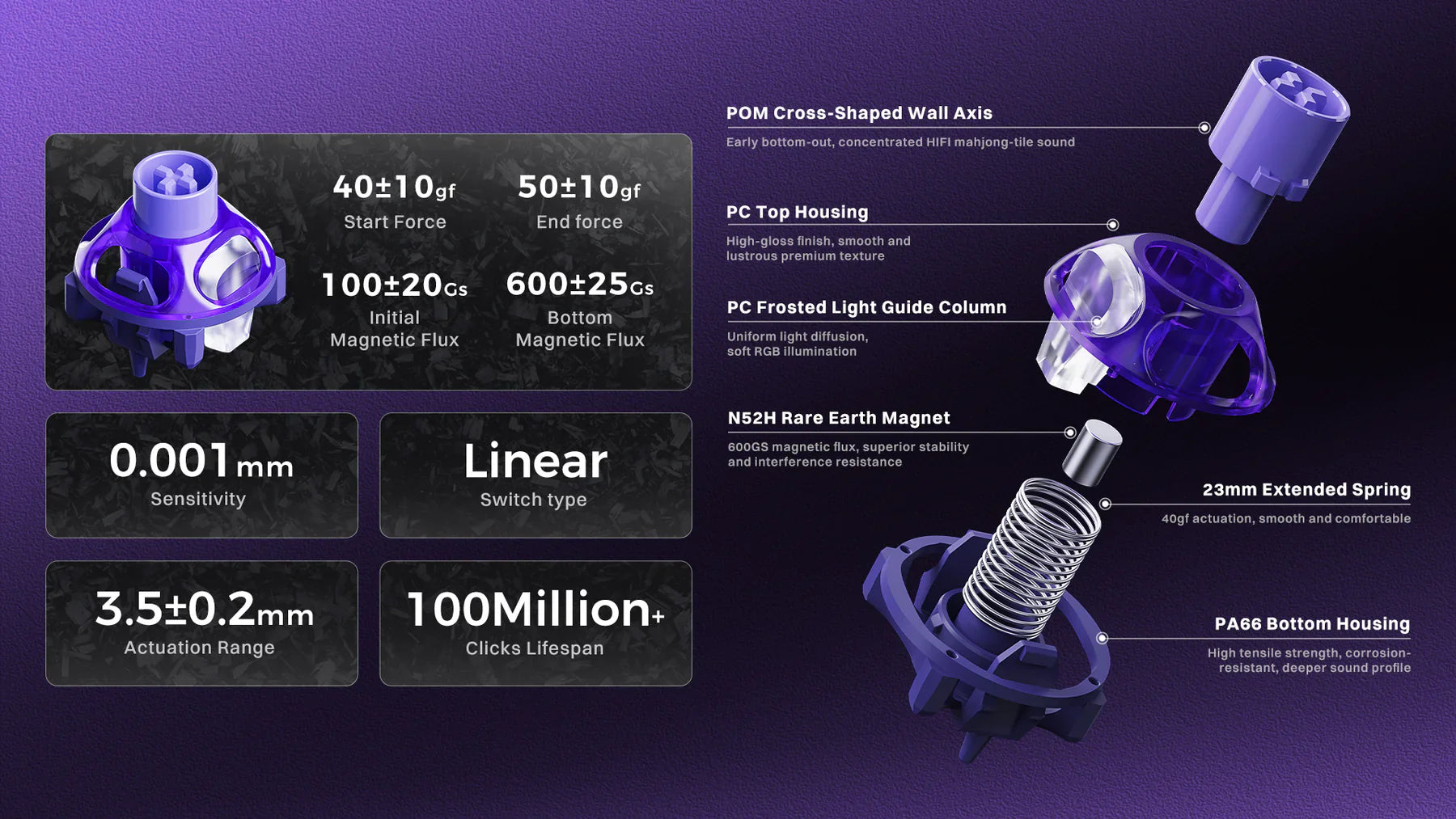
GravaStar has a range of Hall Effect keyboards for gamers, including the Mercury V60 Pro Deluxe Edition, featuring the new UFO Magnetic Gaming Switch. This switch supports 0.005mm precision, adjustable actuation point settings from 0.005mm to 3.5mm, and Rapid Trigger for faster re-presses.
Choose mechanical if feel, modding and budget matter more
Mechanical boards suit users who prefer tactile rhythm and classic switch response during long writing sessions. Broader part compatibility supports spring swaps, brand changes, and sound tuning across established ecosystems.
- Typing feel: The tactile bump can provide rhythmic confirmation during writing.
- Customization: Mechanical boards support broader physical tuning via part changes.
- Budget: Standard mechanical boards are available across a much wider price range.
GravaStar’s mechanical keyboard range includes the Mercury K1, which suits users focused on daily typing feel and long-session comfort. GravaStar x Kailh Cherry Pink linear key switches feature a gasket-mounted design and five-layer foam damping for a smoother, quieter response at the desk.
Magnetic Switch vs. Mechanical Switch | FAQS
Do magnetic switches work with all keycap sets and keyboard layouts?
Not always. Many magnetic boards use standard MX-style stems, so a wide range of keycap sets can fit; however, stem fit is only one part of compatibility. Layout size, bottom-row spacing, stabilizer style, and board-specific tolerances still need to be checked before you swap caps.
Can you hot-swap magnetic and mechanical switches on the same PCB?
In most cases, no. Hall Effect and mechanically printed circuit boards use different sensing hardware, so the two switch types are not cross-compatible on a standard board. A purpose-built hybrid design is needed if you want support for both on the same printed circuit board.
FAQ 3: Are magnetic switches better than mechanical switches for gaming?
Magnetic switches are often better for competitive gaming because they support features like adjustable actuation and rapid trigger, which can help with faster resets and more precise movement control. Mechanical switches can still perform well in games, but magnetic boards usually offer more input tuning for players who want every possible speed advantage.
FAQ 4: Are magnetic switches good for typing, or are mechanical switches still better?
Magnetic switches can work well for typing, especially if you prefer a smooth linear feel and want to adjust actuation through software. However, many typists still prefer mechanical switches because tactile or clicky options provide clearer feedback, a stronger rhythm, and a more familiar typing experience during long writing sessions.

Leave a comment
This site is protected by hCaptcha and the hCaptcha Privacy Policy and Terms of Service apply.